How we storyboarded, researched, and vibe-coded an enterprise knowledge management platform — shipping 80% of production screens through rapid AI-assisted prototyping.
A new-to-market enterprise platform that transforms raw documents, call recordings, and web content into searchable, AI-powered knowledge bases.
Knowledge AI is an answer to a persistent enterprise challenge: organizations sit on mountains of unstructured data — PDFs, call recordings, spreadsheets, SharePoint documents — but struggle to surface the right information at the right time. Contact center agents can’t find answers fast enough. HR teams can’t keep internal knowledge current. Business analysts lack tools to discover patterns across thousands of customer conversations.
We set out to design a platform that could ingest content from any source, process it through configurable AI pipelines, discover topics automatically, and serve precise answers through a conversational interface — all while keeping humans in the loop for quality control.
The Challenge: Design an entirely new product category — a knowledge management platform that integrates with the existing conversational AI ecosystem (Agent Assist, Self-Serve, Answers) while being powerful enough to stand alone as an enterprise knowledge tool.
As a new-to-market product, we invested heavily in discovery — mapping user journeys, auditing competitive tools, and identifying pain points across enterprise knowledge workflows.
Competitive Analysis
| Capability | Market Incumbents | Our Differentiation |
|---|---|---|
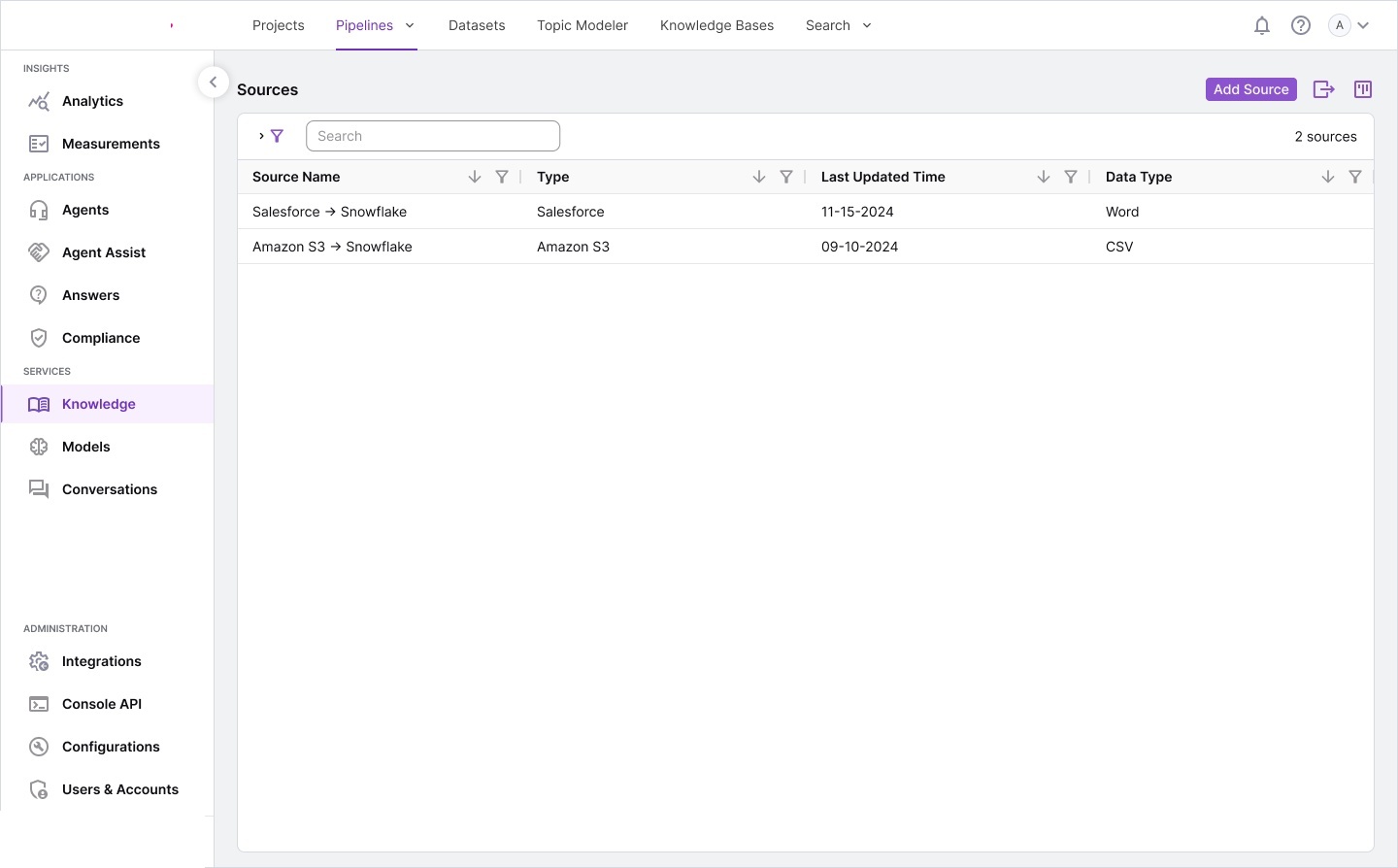
| Document Ingestion | Manual upload, limited formats | Multi-source (S3, Salesforce, SharePoint), 7+ formats incl. audio/video |
| Topic Discovery | Keyword tagging, manual taxonomy | Unsupervised ML topic modeling with visual bubble chart + combine/split |
| Answer Quality | Static FAQ databases | LLM-generated answers with RLHF human feedback loop and approval workflow |
| Knowledge Graph | Not available in most tools | Entity extraction with relationship visualization (K-Graph) |
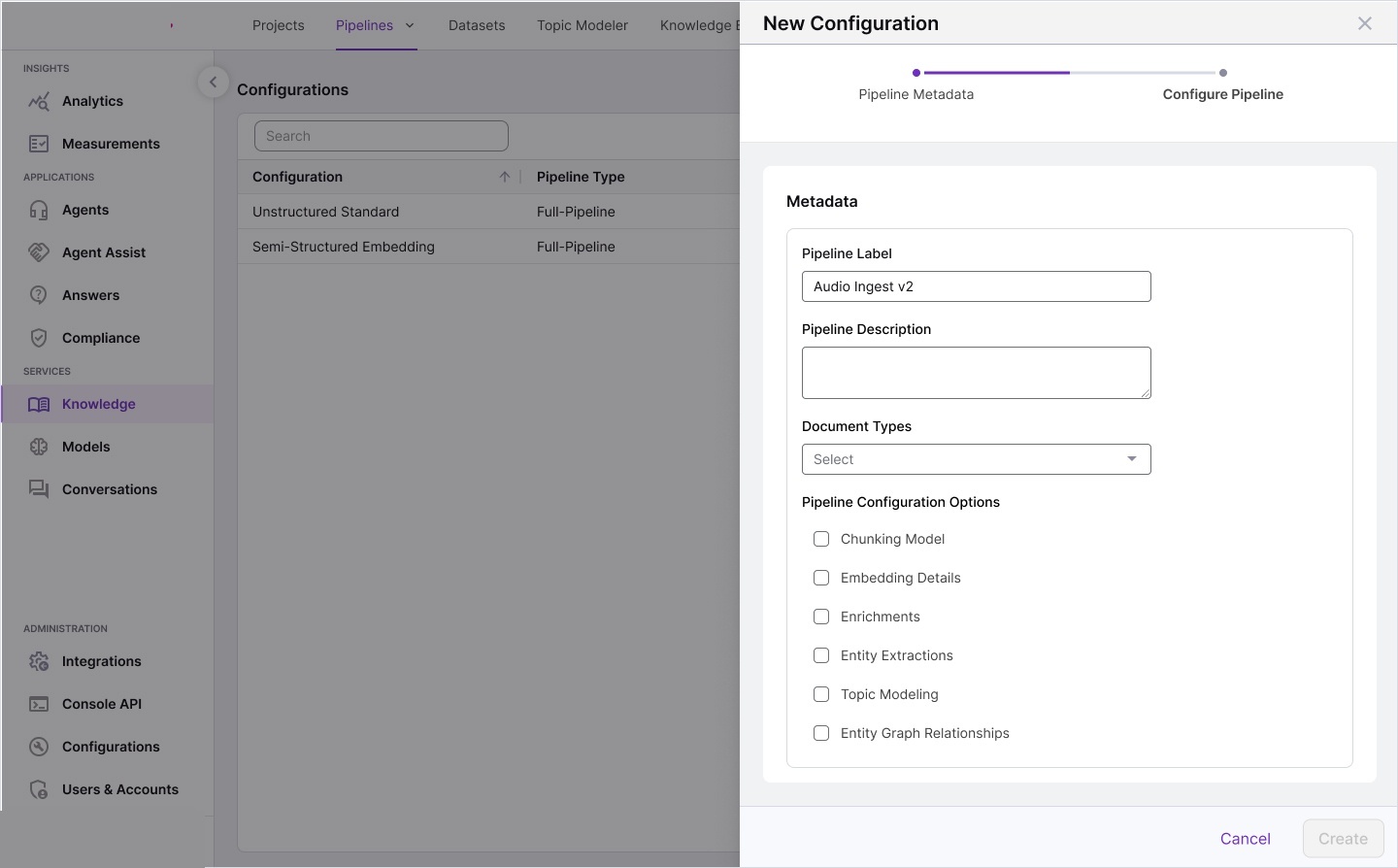
| Pipeline Customization | One-size-fits-all processing | 7-step configurable pipeline: chunking, embedding, enrichment, entity, topic, graph |
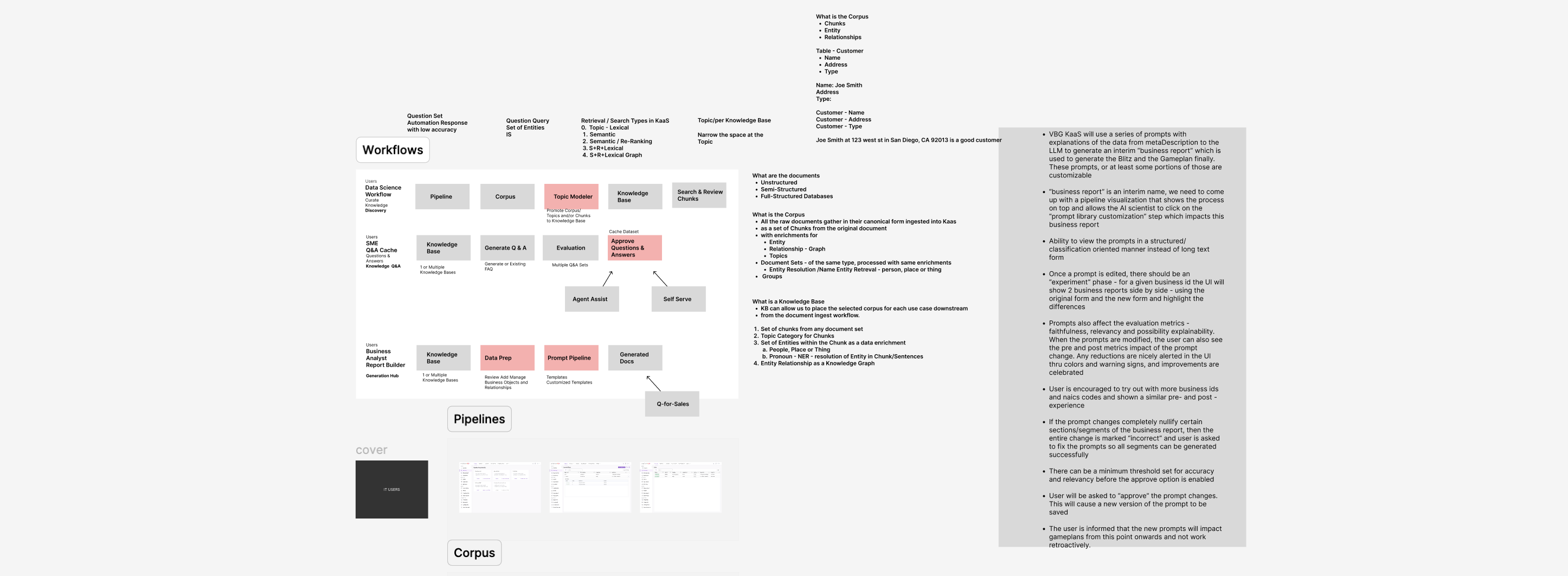
We produced extensive storyboards, information architecture maps, and workflow diagrams during discovery. These artifacts became the foundation for the complete design system.
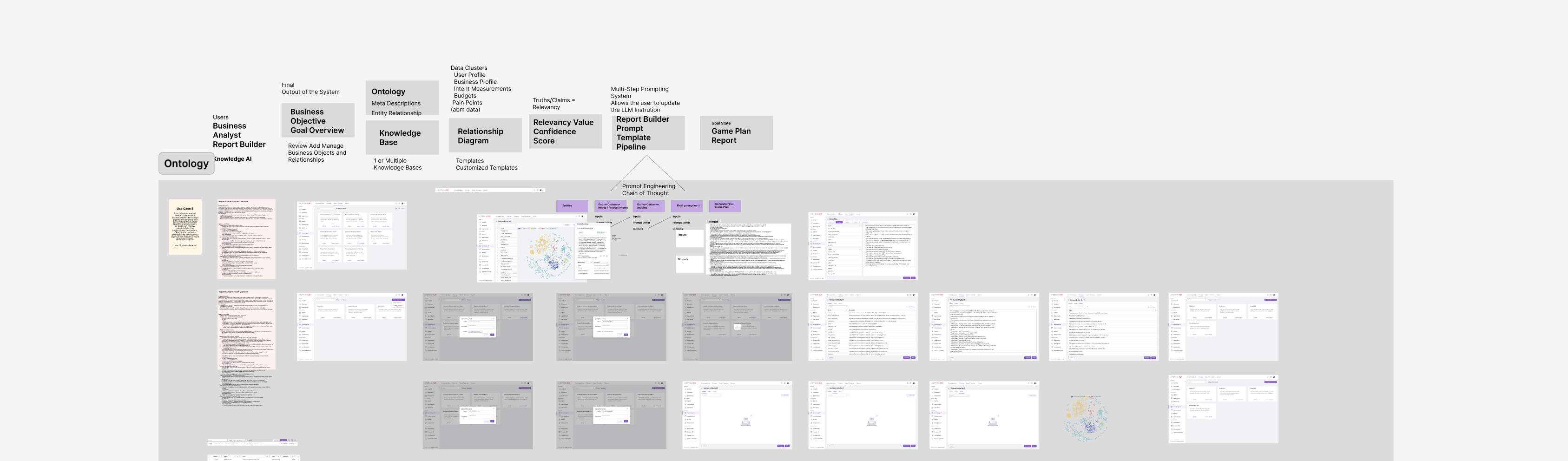
This project pioneered a vibe coding approach — using AI-assisted rapid prototyping to go from storyboards to production-ready screens at unprecedented speed.
What is Vibe Coding? An AI-assisted design-to-code workflow where designers articulate the “vibe” — interaction patterns, visual language, information density — and use AI tools to rapidly generate functional UI code. This meant we could iterate on complex data-dense interfaces (tables, visualizations, multi-panel layouts) at 3–4x the speed of traditional handoff.
Process Timeline
Seven integrated modules, each designed for specific user needs while maintaining a cohesive experience.
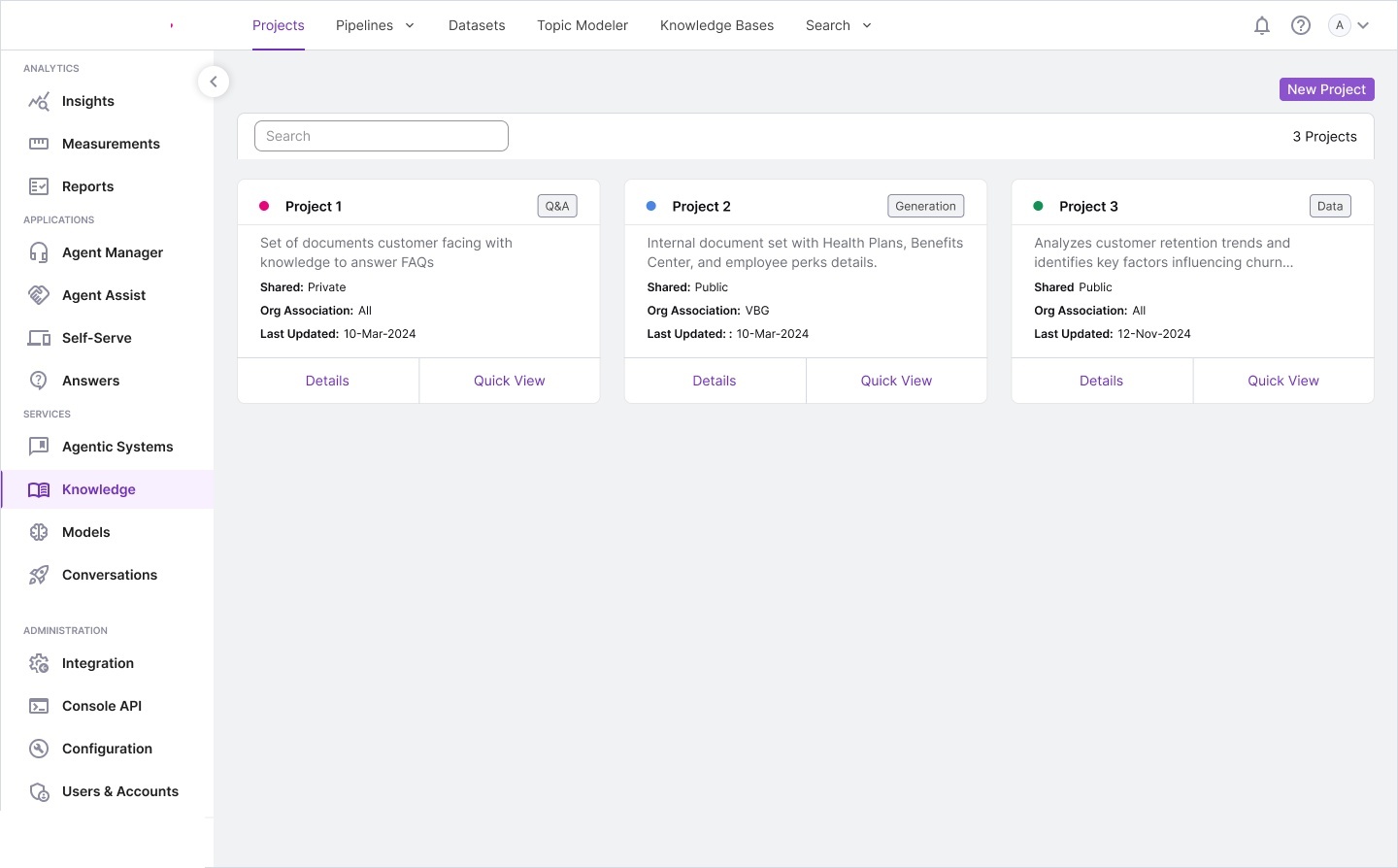
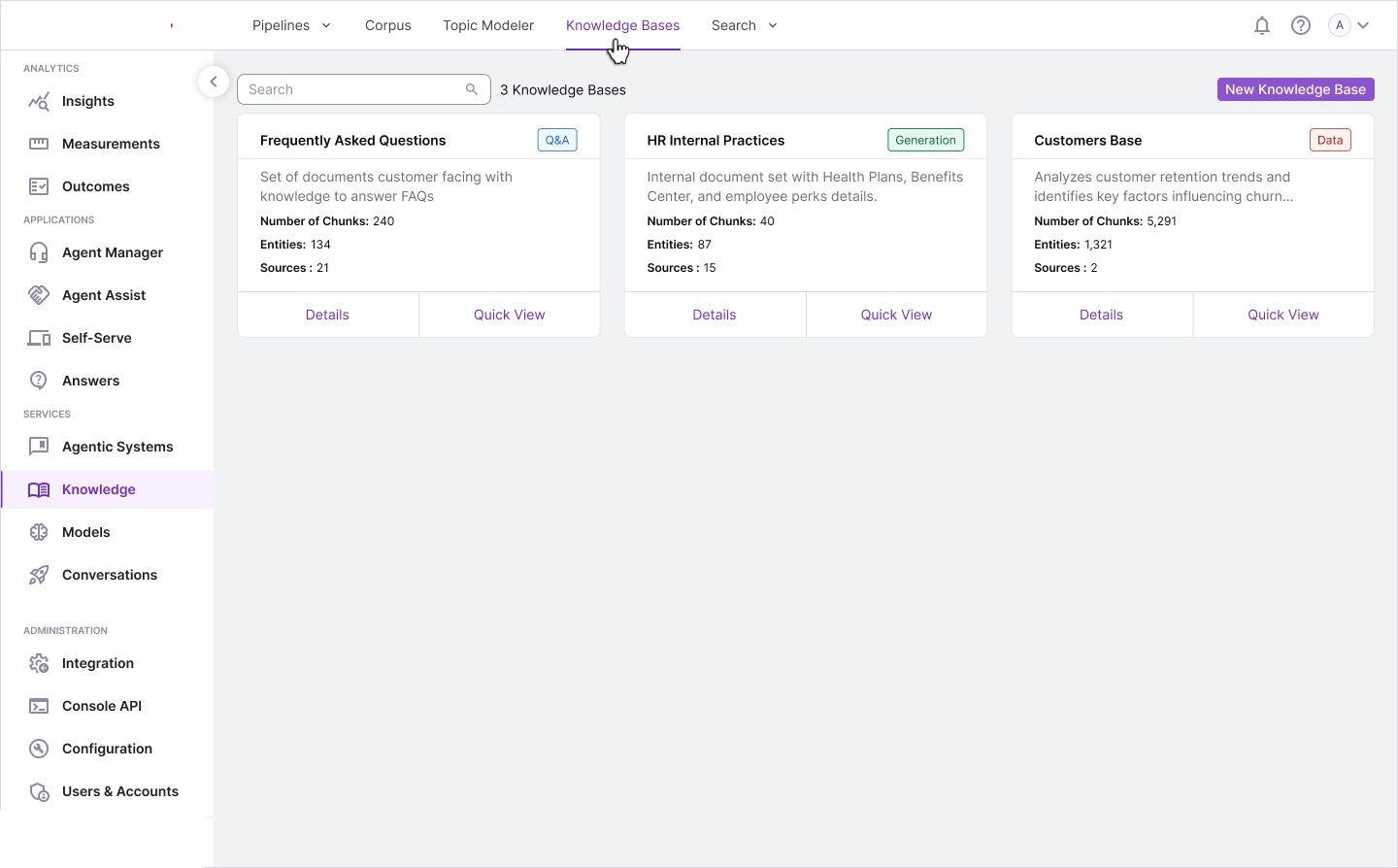
MODULE 01 Projects — The Central Workspace
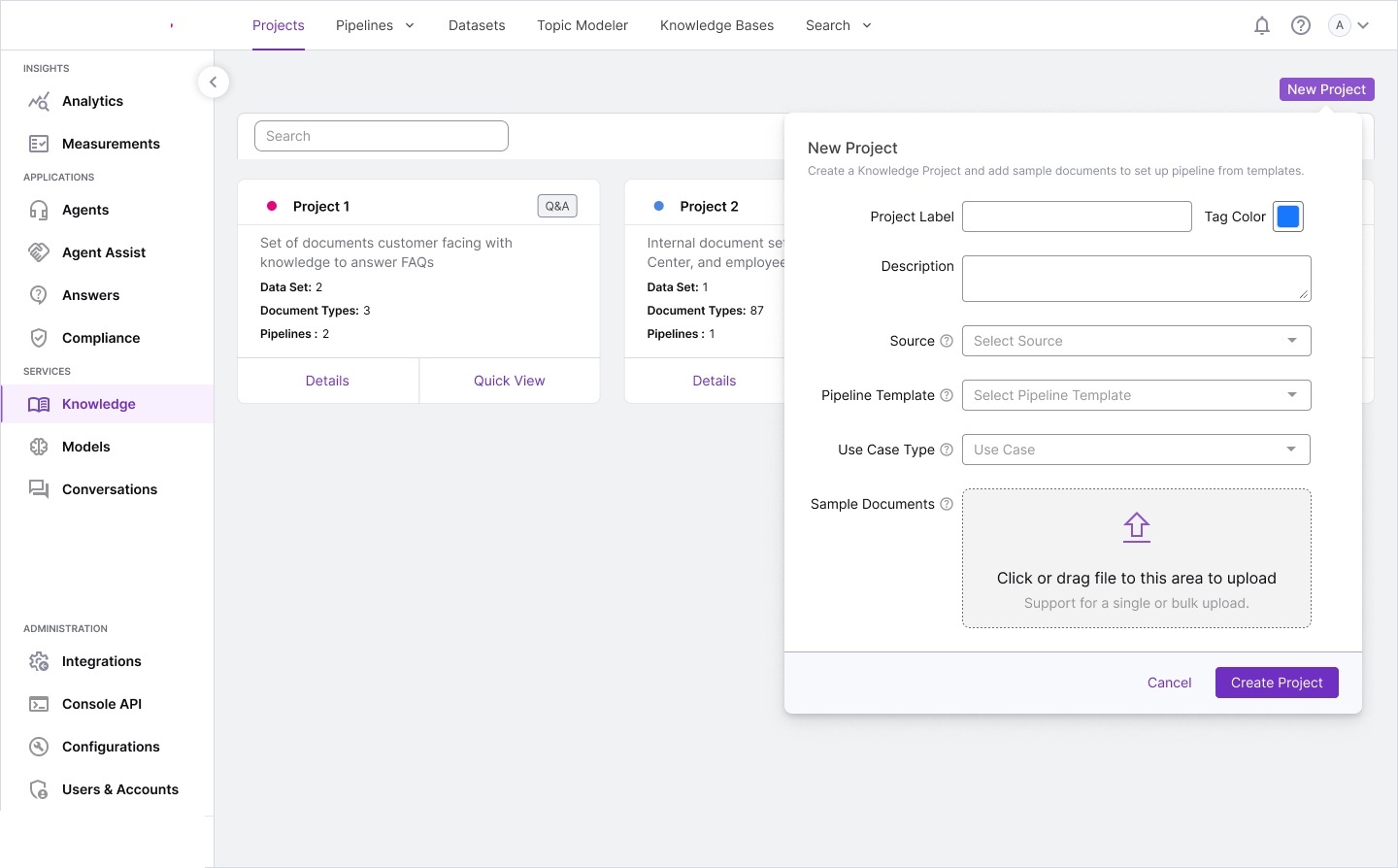
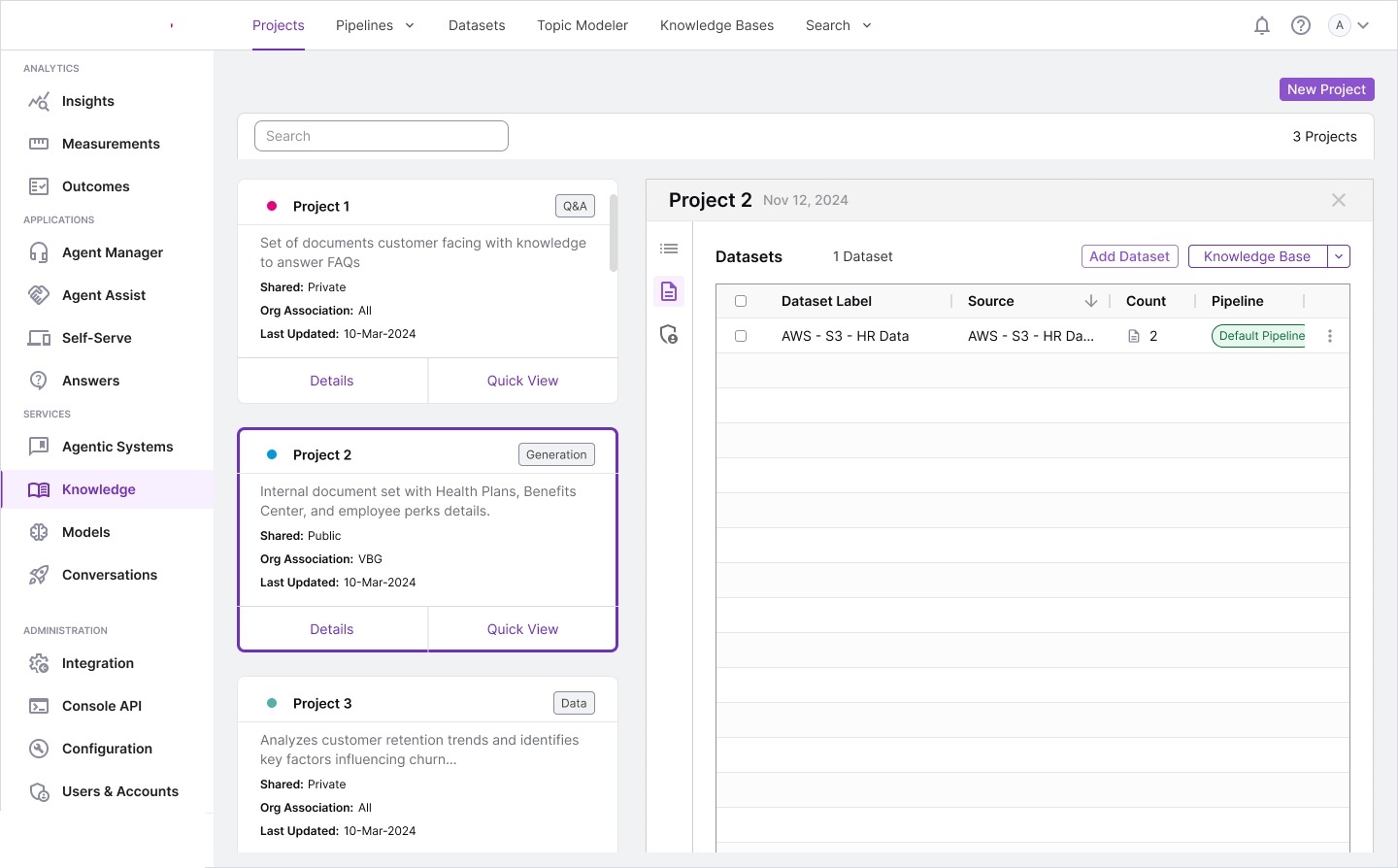
Projects are the organizing principle. Every knowledge initiative starts here — a project bundles datasets, pipelines, and knowledge bases into a single manageable unit. We designed the card-based layout for scannable overviews with key metadata visible at a glance.
Design Decision: Three-Tier Progressive Disclosure. Cards won user preference testing because knowledge managers typically manage 5–15 projects — a number where spatial memory and visual differentiation outperform row scanning. The Quick View panel was added after testing showed 60% of tasks could be completed without navigating to the full detail page.
MODULE 02 Pipelines — Configurable NLP Processing
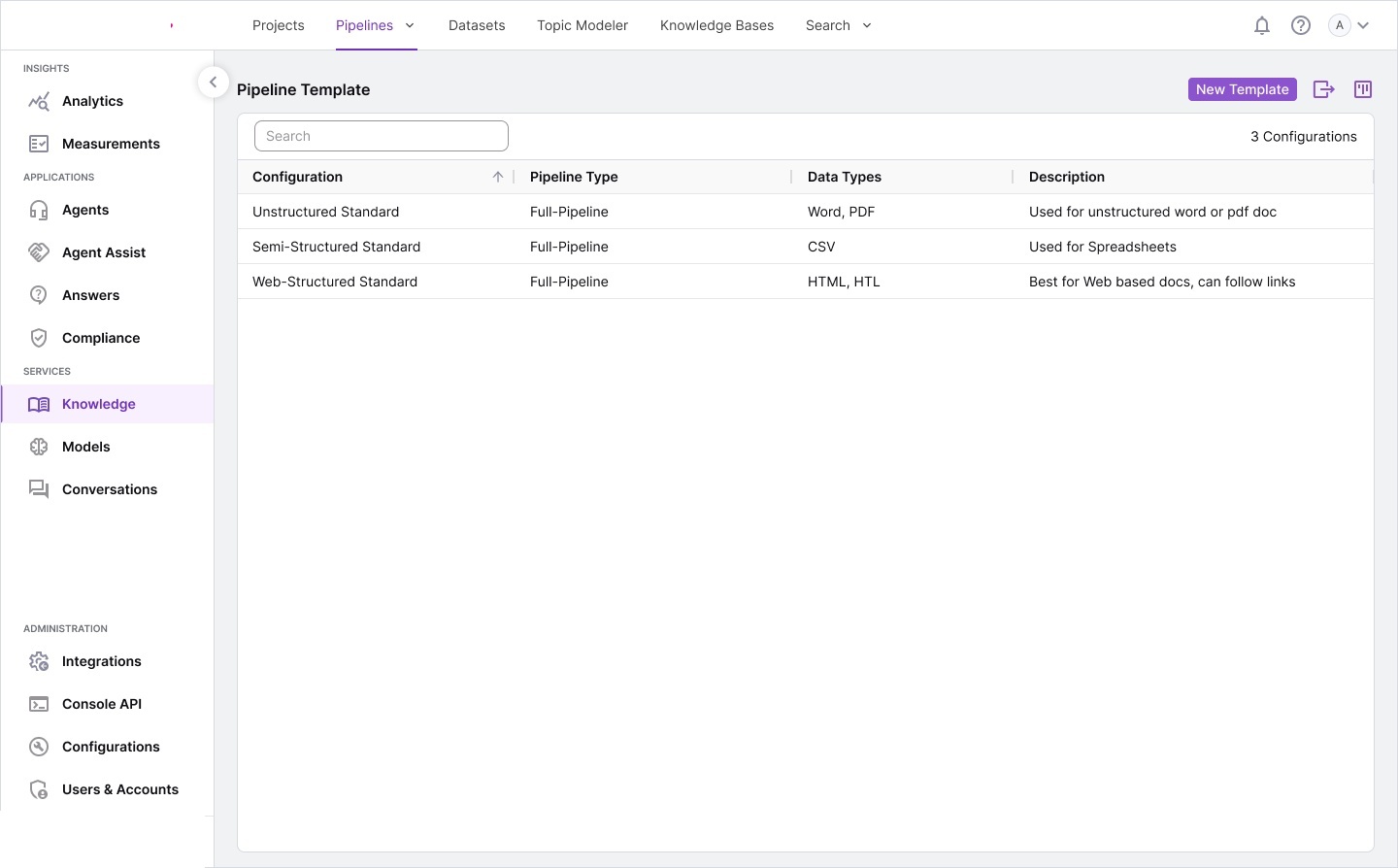
Pipelines transform raw documents into structured, searchable knowledge through a multi-step NLP workflow. We designed a template-based system where organizations start with sensible defaults and customize as needs mature.
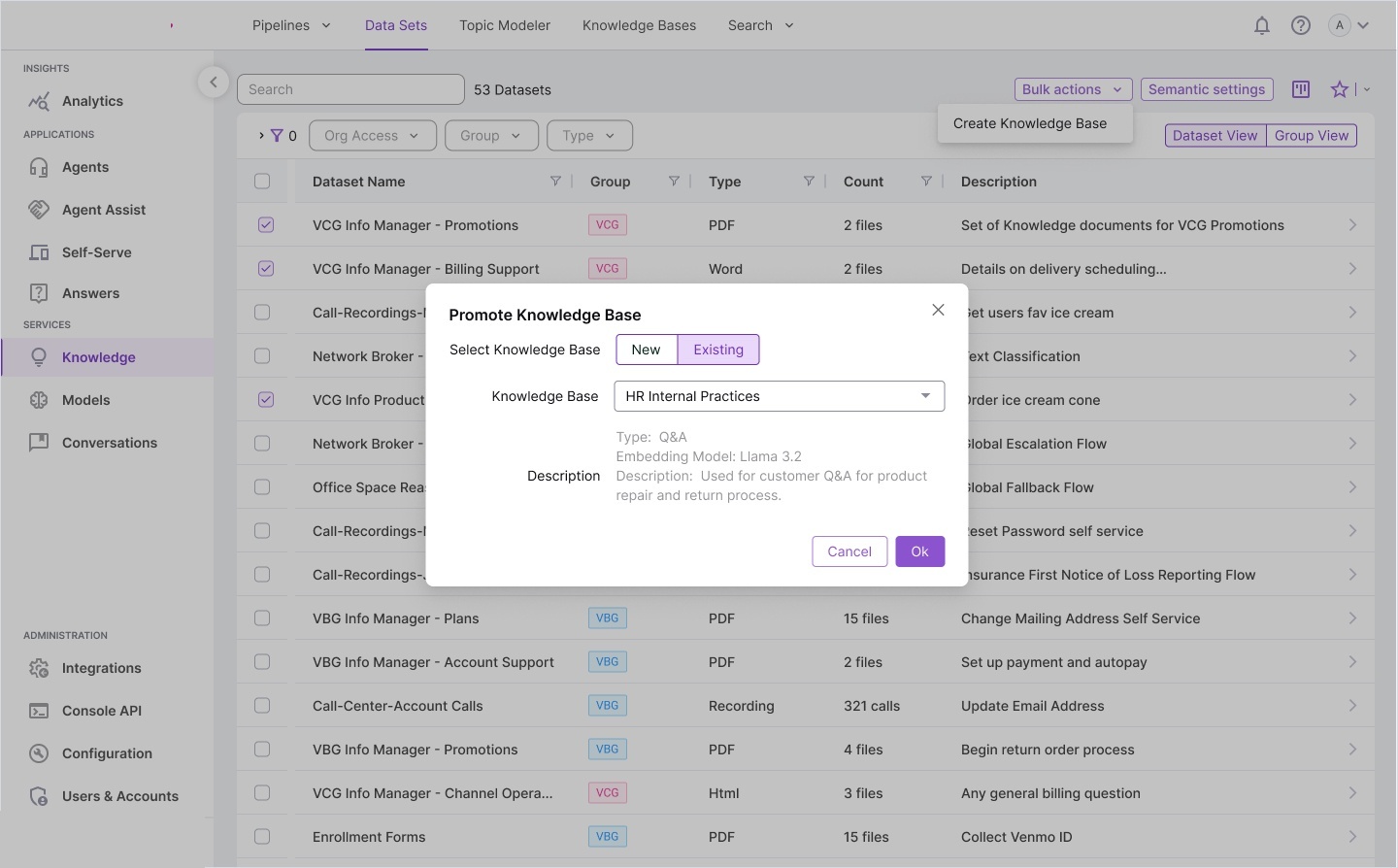
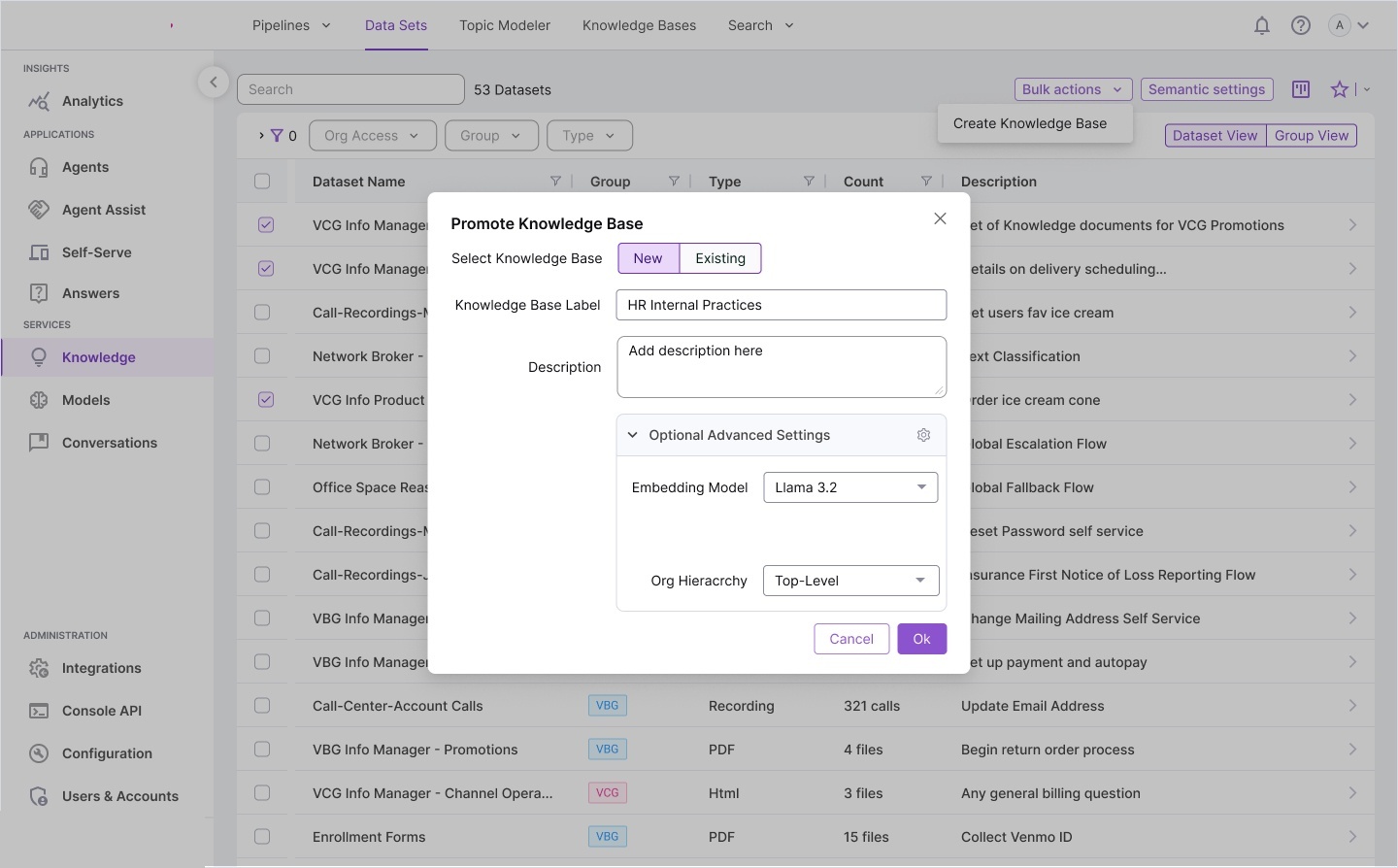
MODULE 03 Datasets — Multi-Format Document Management
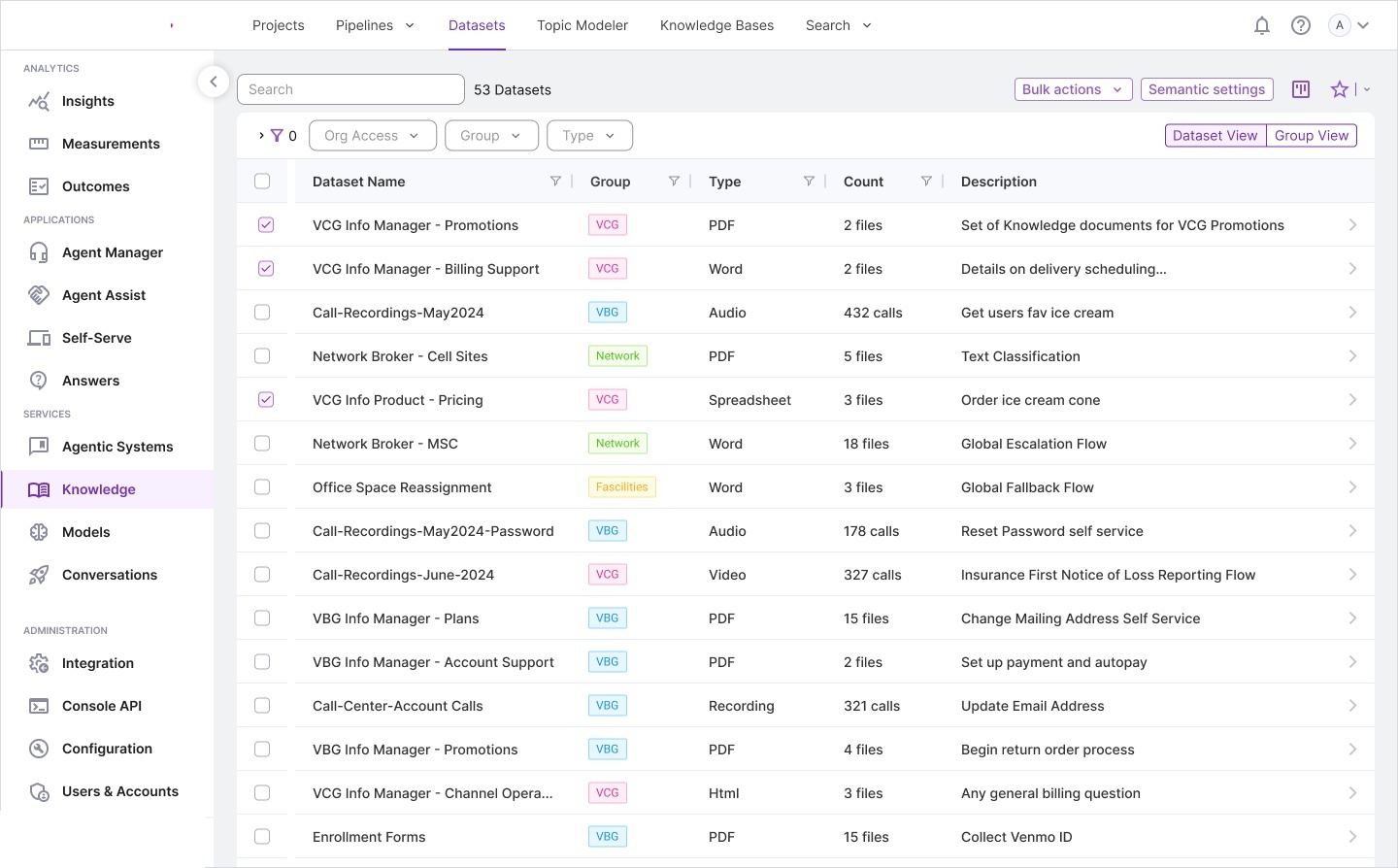
Handling the breadth of enterprise content: PDFs, Word docs, spreadsheets, call recordings (audio/video), and web pages. We designed a dense but scannable table view with powerful filtering — because data engineers managing 50+ datasets need efficiency over aesthetics.
Design Decision: Table vs Cards. Unlike Projects (which use cards), Datasets use a table layout. Datasets number in the dozens to hundreds, and data engineers prioritize scanning metadata (type, count, group) over reading descriptions.
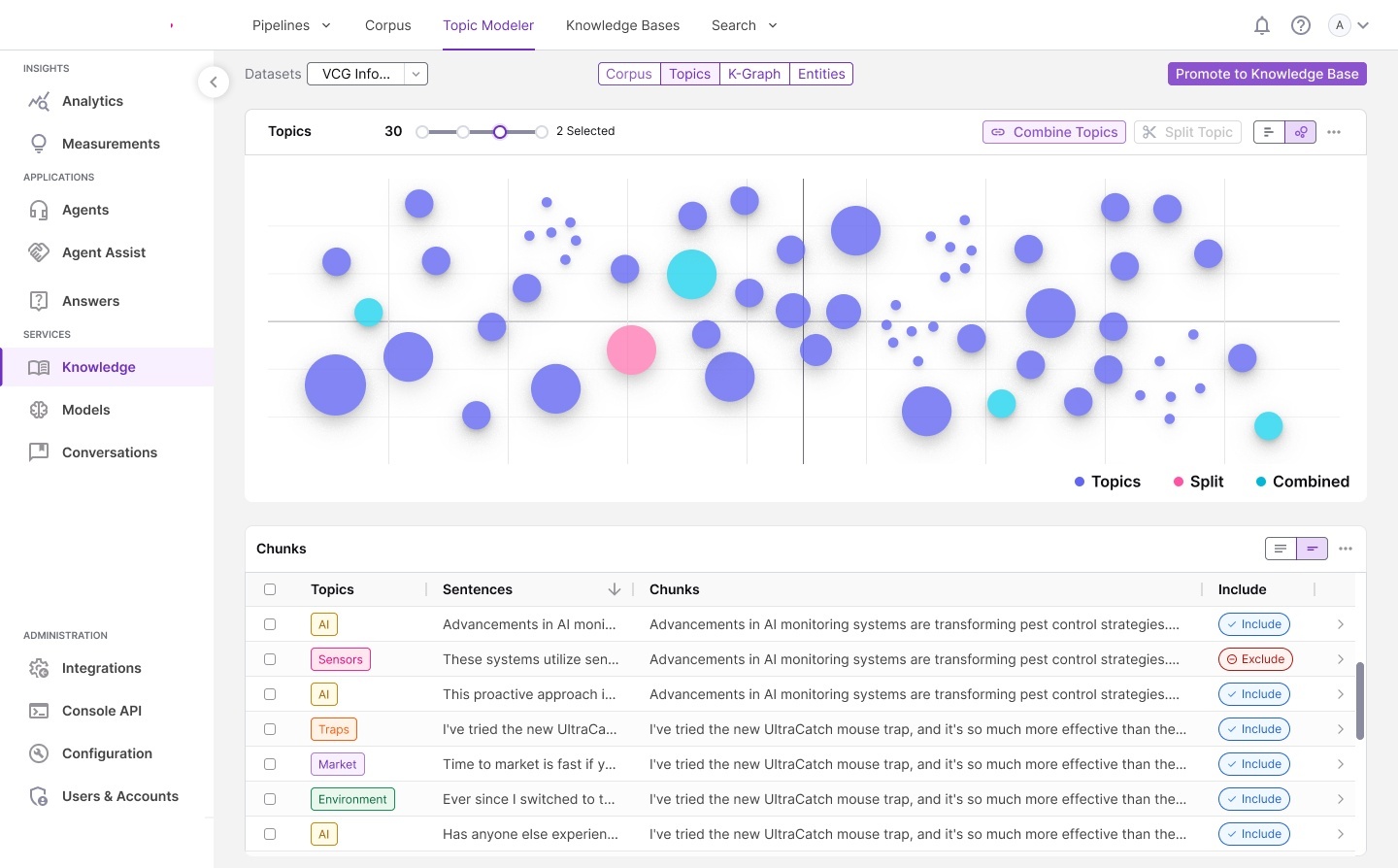
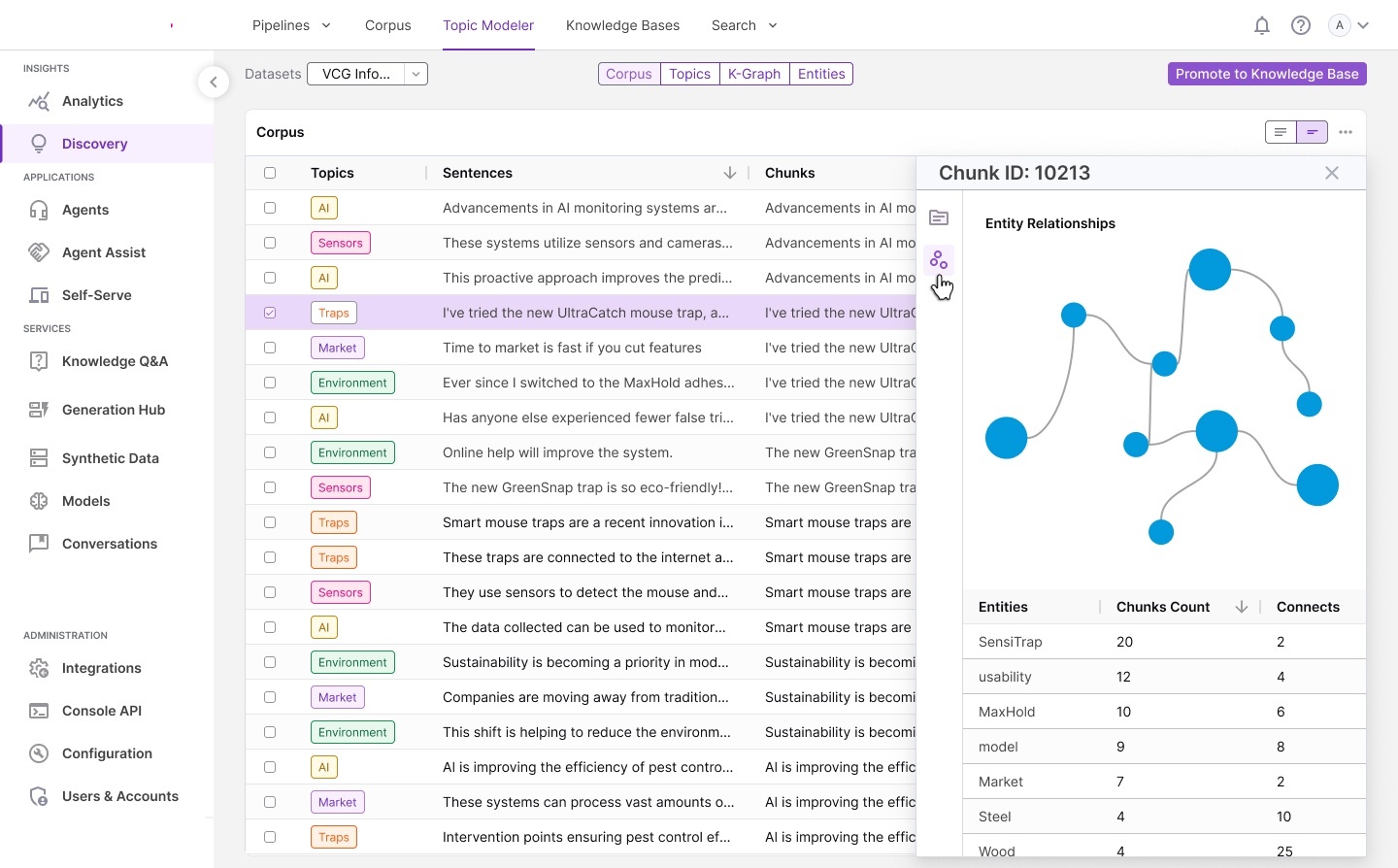
MODULE 04 Topic Modeler — Visual Knowledge Discovery
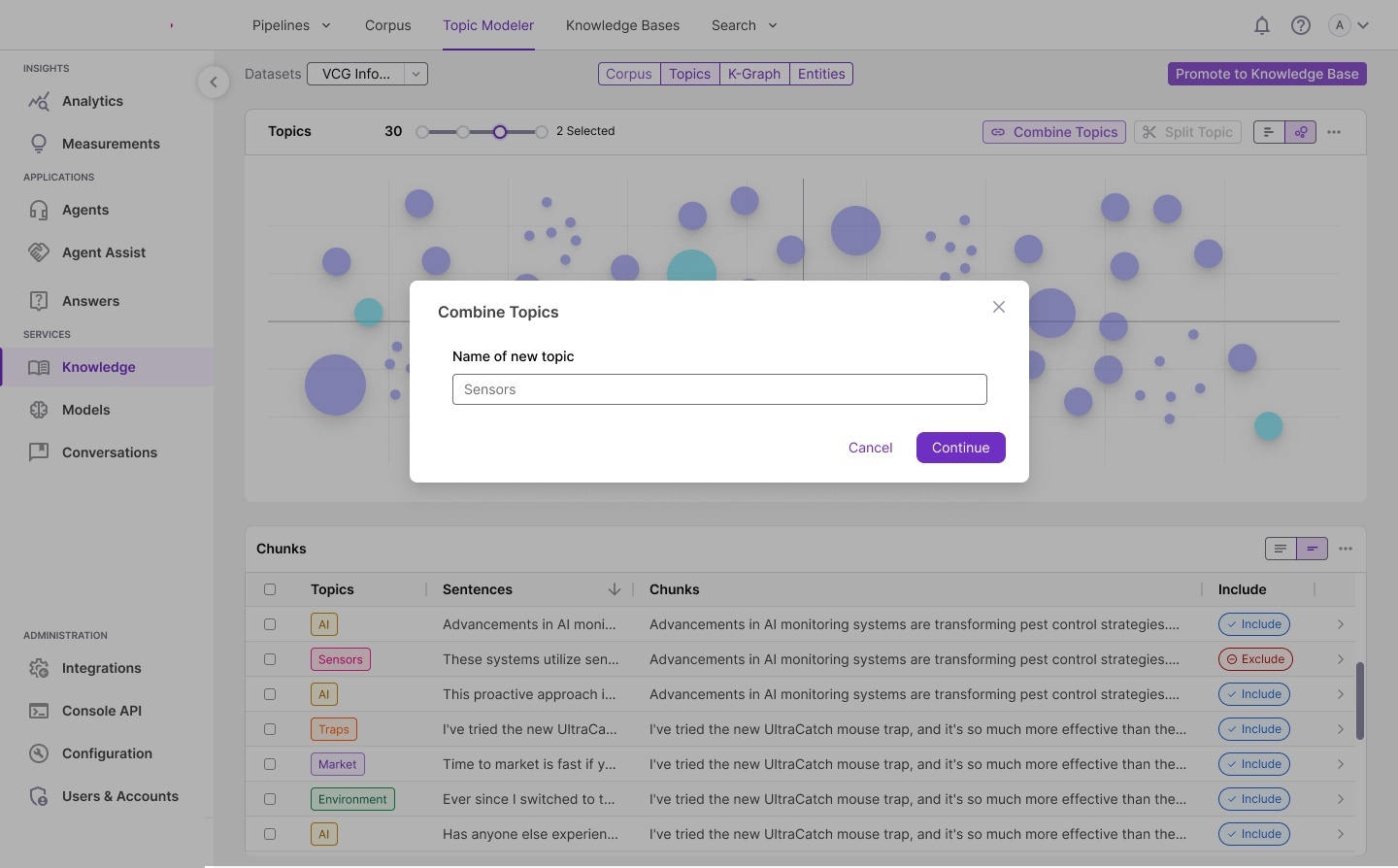
The most visually complex module. It enables unsupervised topic discovery across document corpora, visualized as an interactive bubble chart where size represents chunk volume and color indicates topic operations. Making ML-generated clusters comprehensible and actionable was one of our hardest UX problems.
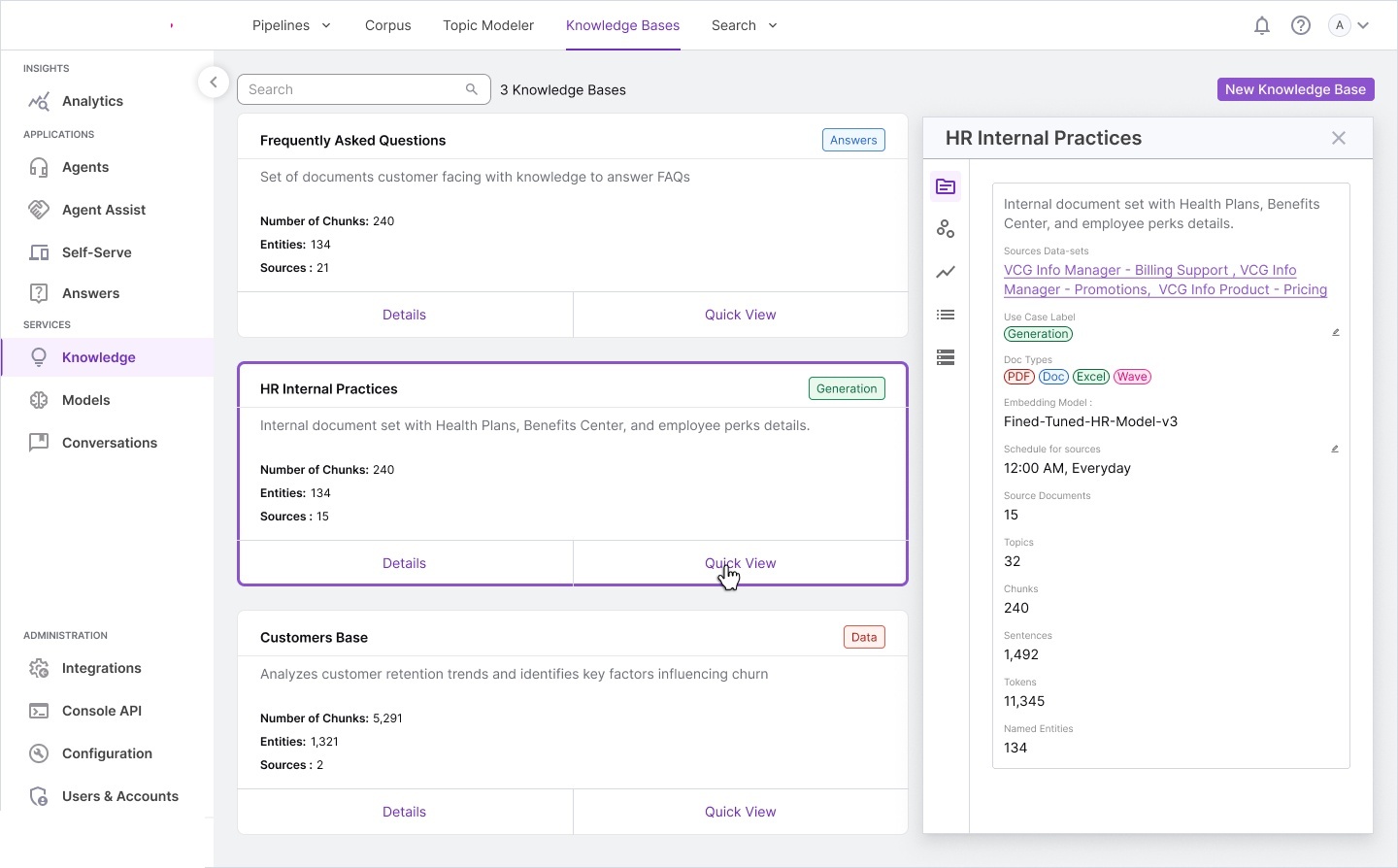
MODULE 05 Knowledge Bases — Curated AI Repositories
Knowledge Bases are the output artifact — curated, searchable repositories ready for deployment to agent assist, self-serve, or conversational AI channels. Each KB carries rich metadata about its composition: chunks, entities, sources, topics, embedding models, and update schedules.
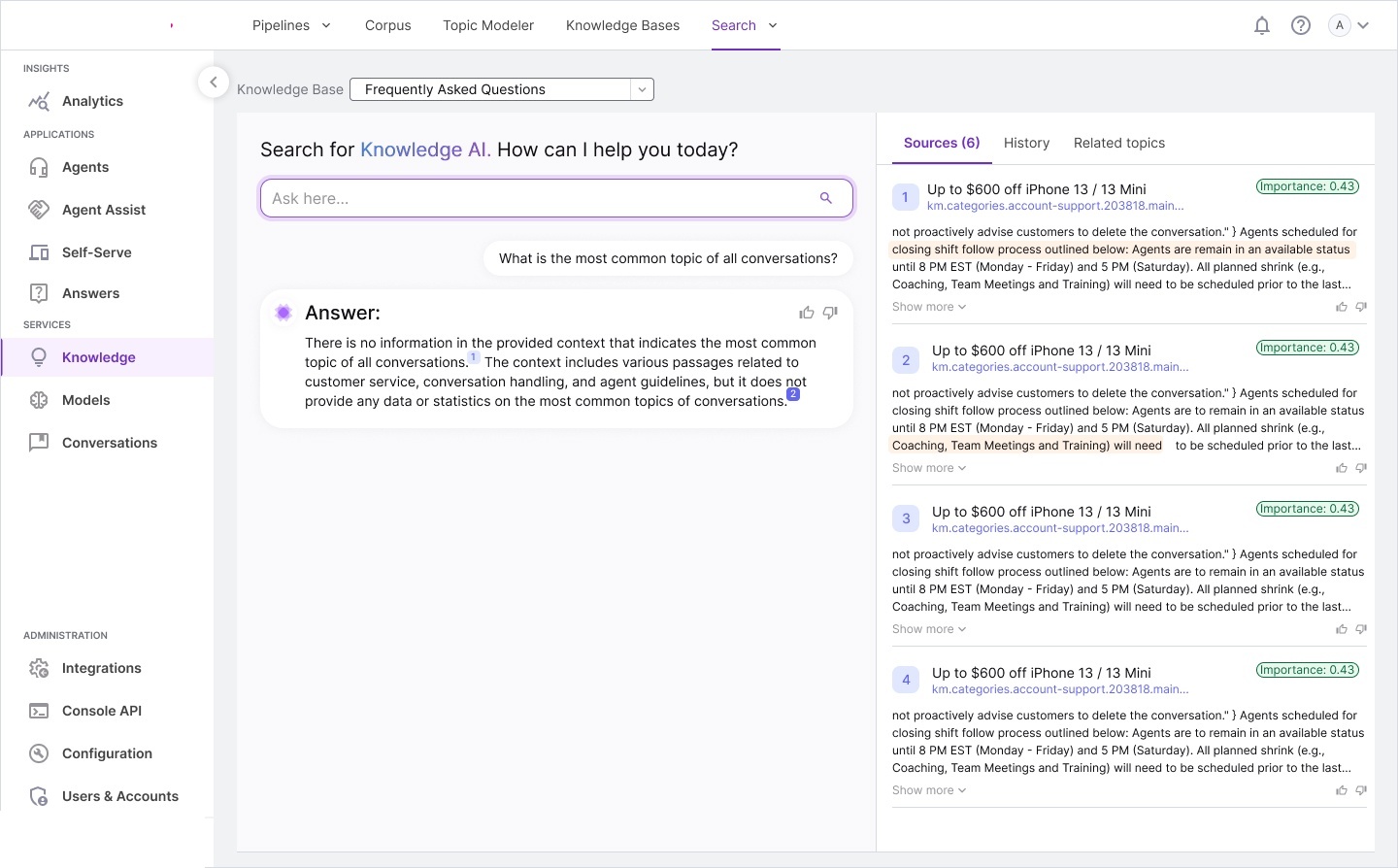
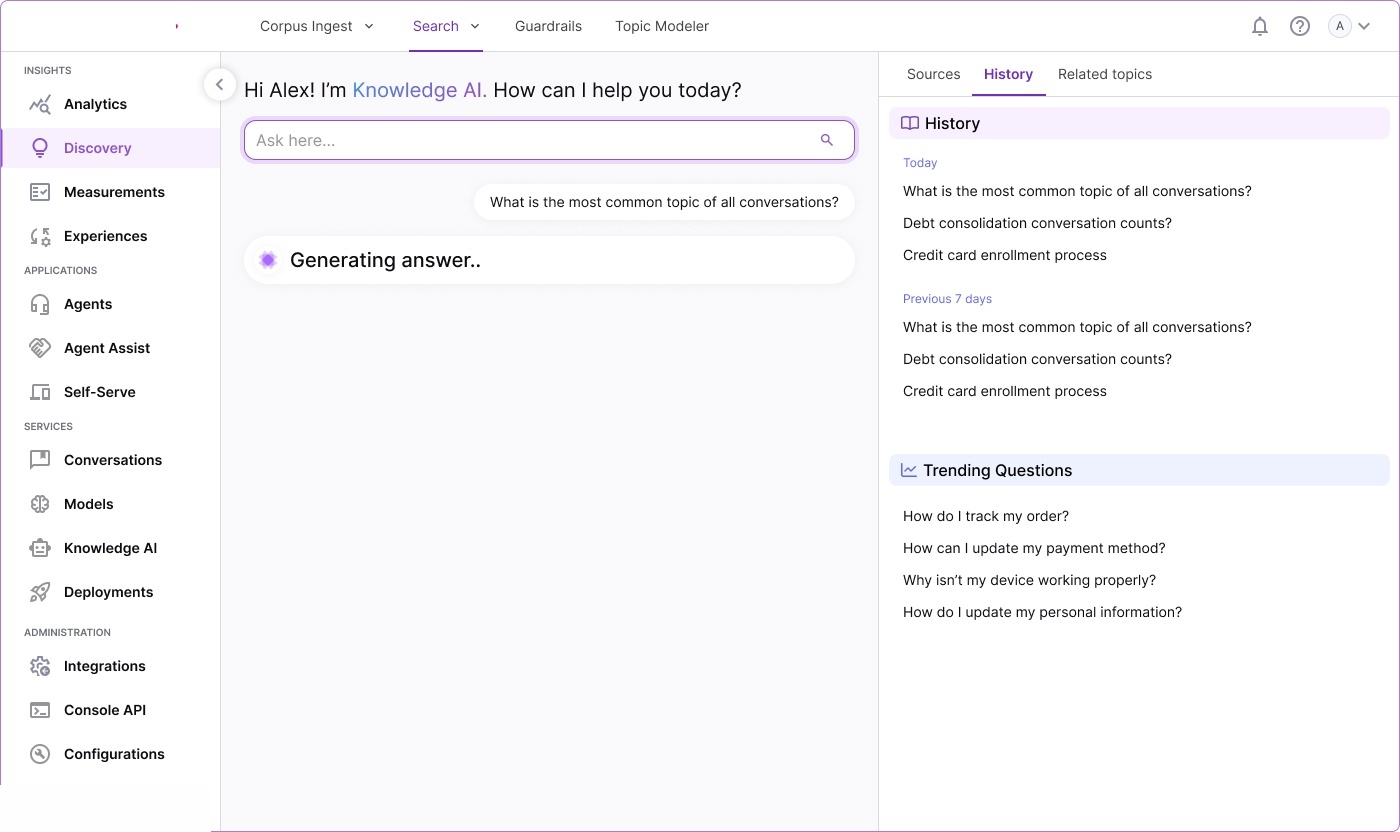
MODULE 06 Search & Discovery — Conversational Knowledge AI
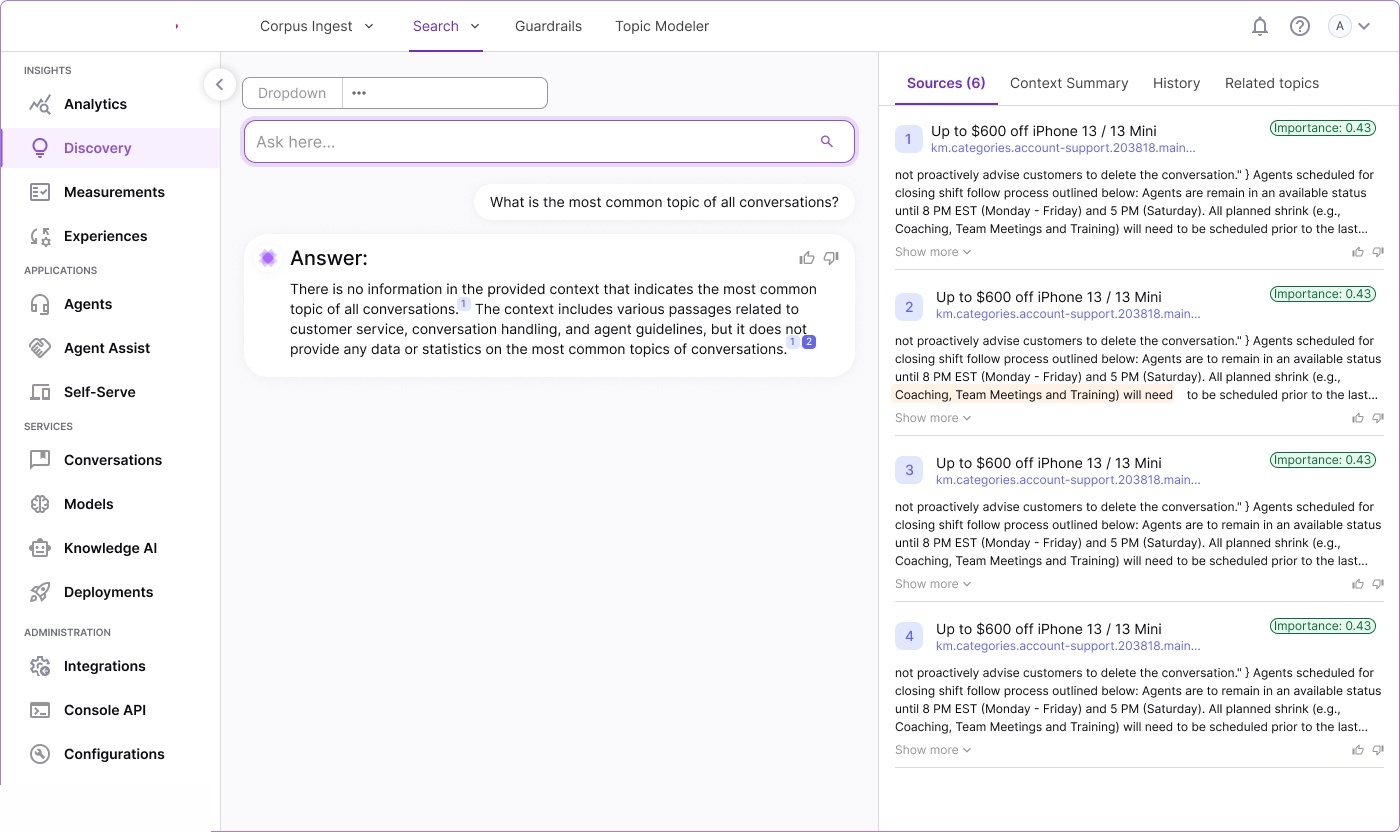
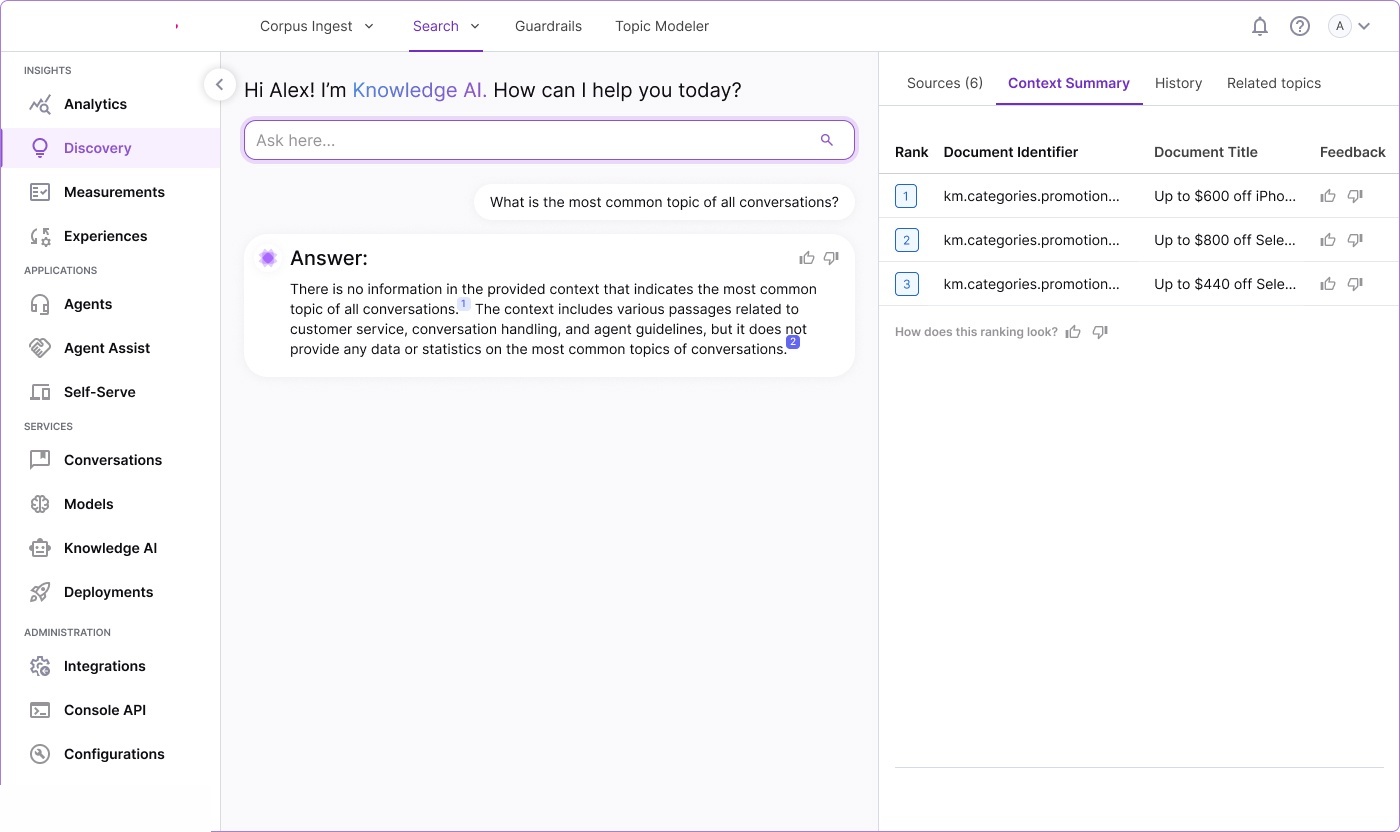
Where the platform’s value becomes tangible. We designed a conversational AI interface that feels more like chatting with a knowledgeable colleague than querying a database. The transparency panel shows sources, importance scores, context summaries, and search history.
Design Decision: Transparency Panel. User testing revealed knowledge managers strongly preferred seeing sources alongside answers — it builds trust in the AI and helps quickly identify irrelevant retrievals. The panel became non-negotiable.
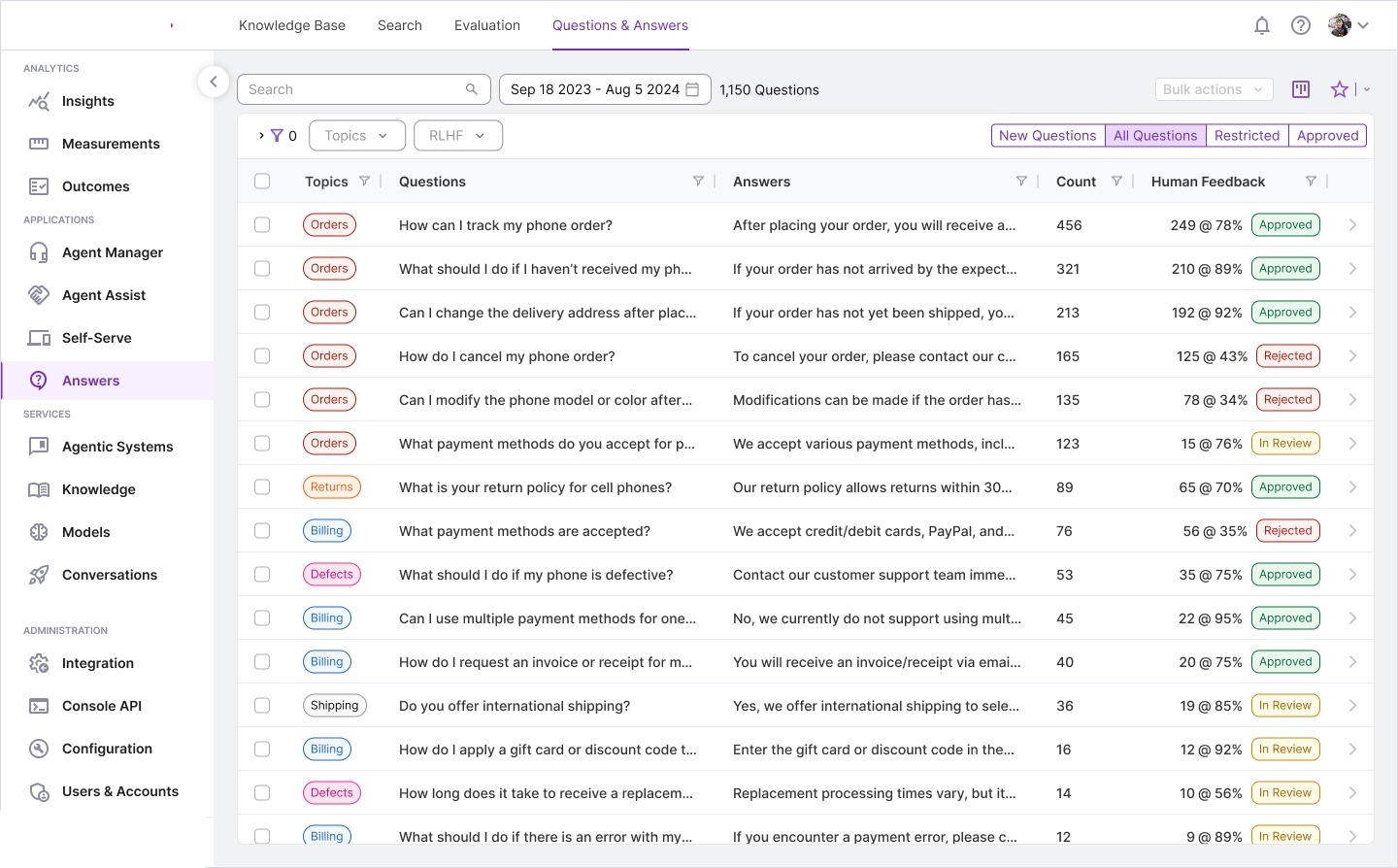
MODULE 07 Questions & Answers — Human-in-the-Loop AI
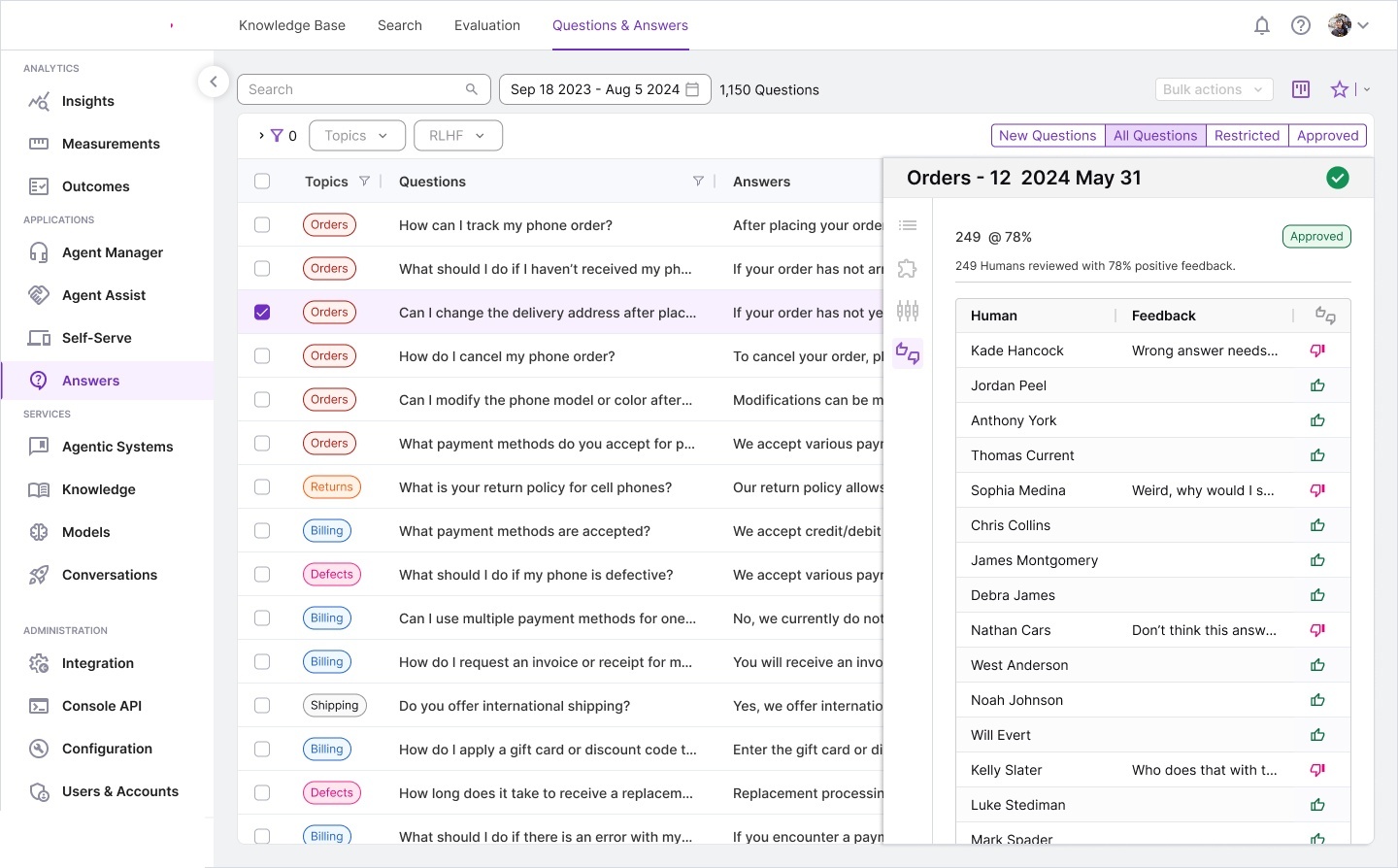
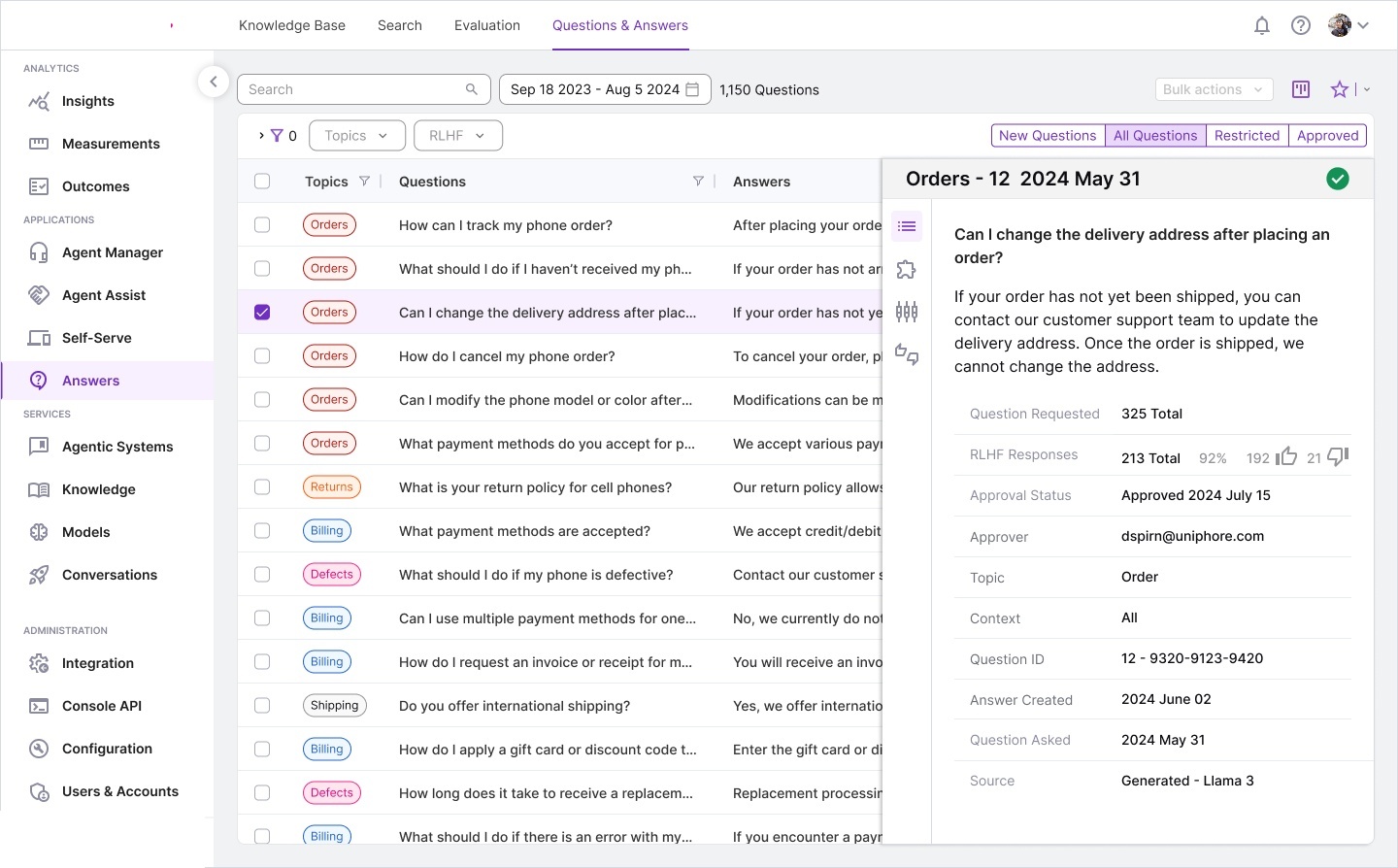
Where AI meets human judgment. The system auto-generates Q&A pairs from the knowledge base, but every answer goes through a human review workflow with RLHF feedback, approval chains, and quality scoring. This was the most workflow-heavy module to design.
Design Decision: RLHF Transparency. Individual reviewer feedback is visible (with names and comments) rather than just aggregate scores. This encourages accountability and helps knowledge managers understand not just what the approval rate is, but why certain answers were rejected — enabling improvement of the underlying knowledge base content.
A consistent vocabulary that scales across seven modules and 46+ screens.
| Pattern | Usage | Modules |
|---|---|---|
| Card Grid | Scannable overview of 5–15 items with badges and dual actions | Projects, Knowledge Bases |
| Data Table | Dense, filterable lists for 50+ items with sorting and bulk actions | Datasets, Q&A, Pipelines |
| Quick View Panel | Slide-over detail without full navigation | Projects, KBs, Q&A, Topics |
| Creation Dialog | Modal forms with source/template selectors | New Project, Add Dataset, New Pipeline |
| Config Accordion | Multi-step settings with expandable sections | Pipeline Configuration (7 steps) |
| Color Badges | Quick categorization: types, topics, groups, status | All modules |
| Bubble Viz | Proportional data with interactive selection/manipulation | Topic Modeler |
| Conversational AI | Chat-style Q&A with citations and feedback | Search & Discovery |
Reflections on building a new-to-market enterprise AI product using storyboarding, rapid prototyping, and vibe coding.
What’s Next: The platform continues to evolve with planned features: real-time collaborative knowledge editing, automated knowledge gap detection, multi-language support for global enterprises, and deeper integration with Agent Assist for real-time knowledge surfacing during live customer calls.
| Duration | 6 months |
| Role | UX Design Lead |
| Platform | Enterprise Web (SaaS) |
| Approach | Storyboarding, competitive analysis, vibe coding, user testing |
| Technologies | NLP pipelines, topic modeling, knowledge graphs, LLM-powered search, RLHF |