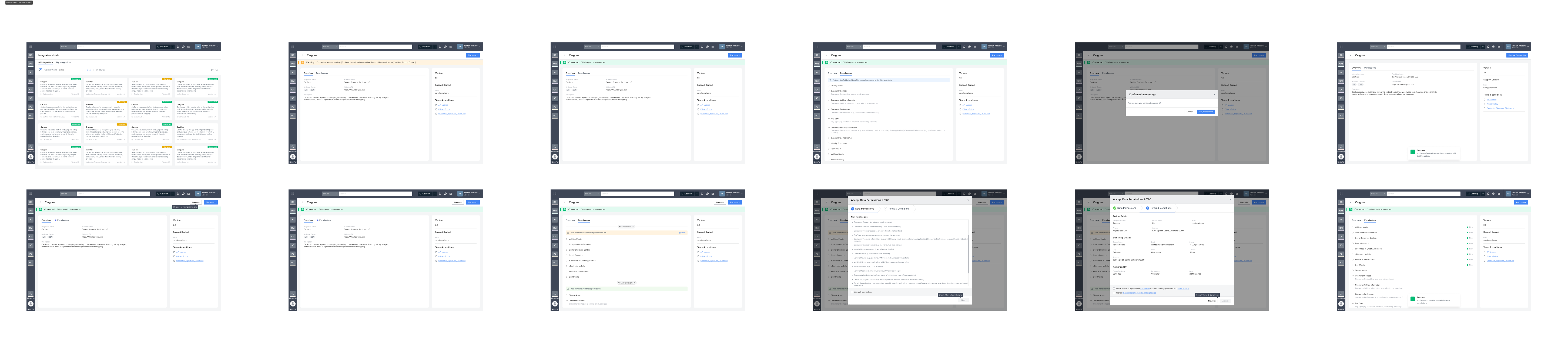
My platform-building experience is what brought me here, and it's what helped move things in the right direction. Over 11 months, I helped the team find real alignment, shipped two interconnected platforms, and built the design team from scratch along the way.
I was brought in specifically for this project. The VP of Design had seen my platform-building experience at a leading fintech and reached out because the project had been through multiple design iterations without gaining traction. Previous teams had struggled to move the product forward in a meaningful way. The challenge was clear: the company needed someone who understood the complexity of building developer-facing platforms, not just designing screens, but thinking through the entire ecosystem of tools, workflows, and abstractions that make a platform work.
When I joined, I had no idea how low-code platforms worked. I didn't know what an "entity" was. I didn't know what a "field" was in the context of application building. But I had built complex platforms before, and I knew the design challenges were not really about understanding every technical detail on day one. They were about understanding the problem space, aligning the team, and making deliberate design decisions that serve real users.
The company's core platform was used by hundreds of dealerships. But every time a dealership had a unique use case, they had to go back to the company for custom development. It was a costly bottleneck. The Developer Platform was built to change that.
The root cause of previous failures wasn't design skill. It was organizational alignment. The development team had fundamental open questions about scope, users, and direction that had never been resolved. Engineering and product weren't talking to each other. People were building toward different visions. No amount of wireframes was going to fix that.
My first move was to design and facilitate a structured stakeholder alignment workshop rooted in collaborative discovery. This wasn't a standard kickoff meeting. It was a deliberate intervention to surface hidden assumptions, resolve conflicting mental models, and get engineering, product, and design on the same page.
This workshop changed everything. It was the single highest-impact thing I did on the entire project. The teams before me weren't lacking talent. They were lacking a shared understanding of what they were building and why.
The workshop was just the start. I kept that collaboration model going throughout the entire project. In platform design, especially low-code platforms, the line between design decisions and engineering architecture decisions gets blurry fast. You can't design a good entity creation flow without understanding the data model. You can't design a workflow builder without knowing the execution constraints.
Through the alignment workshop and contextual research with dealership staff and internal developers, we identified four distinct personas. The critical decision was narrowing our MVP scope to just two of them: the users with the most immediate pain, and the ones whose needs would validate the platform's core value.
This narrowing gave us focus. Instead of trying to be everything to everyone (a trap that low-code platforms fall into all the time), we could design intentionally for two clear user types.
Externally, we evaluated Salesforce, Microsoft Power Apps, Pega, ServiceNow, Zoho Creator, Airtable, Kissflow, Quickbase, AppSheet, Nintex and others. We looked at target audience, pricing, support, strengths, and weaknesses, with quantitative scoring across ease of use, data control, workflow management, and platform compatibility.
What kept coming up: the market had split in two. You either got a simple tool that hit a ceiling quickly, or a powerful tool with a learning curve that alienated non-technical users. Our opportunity was in the middle: genuinely simple for dealership employees, but powerful enough for developers.
Internally, I led a full audit of every existing application on the core platform: every screen, workflow, data relationship, and edge case. Previous teams hadn't done this. We catalogued the most complex screens as stress tests. If the platform couldn't reproduce them, it wasn't ready. The audit also surfaced recurring UI patterns that became the foundation of our component library, and it gave engineering a concrete answer to what "flexible enough" actually meant.
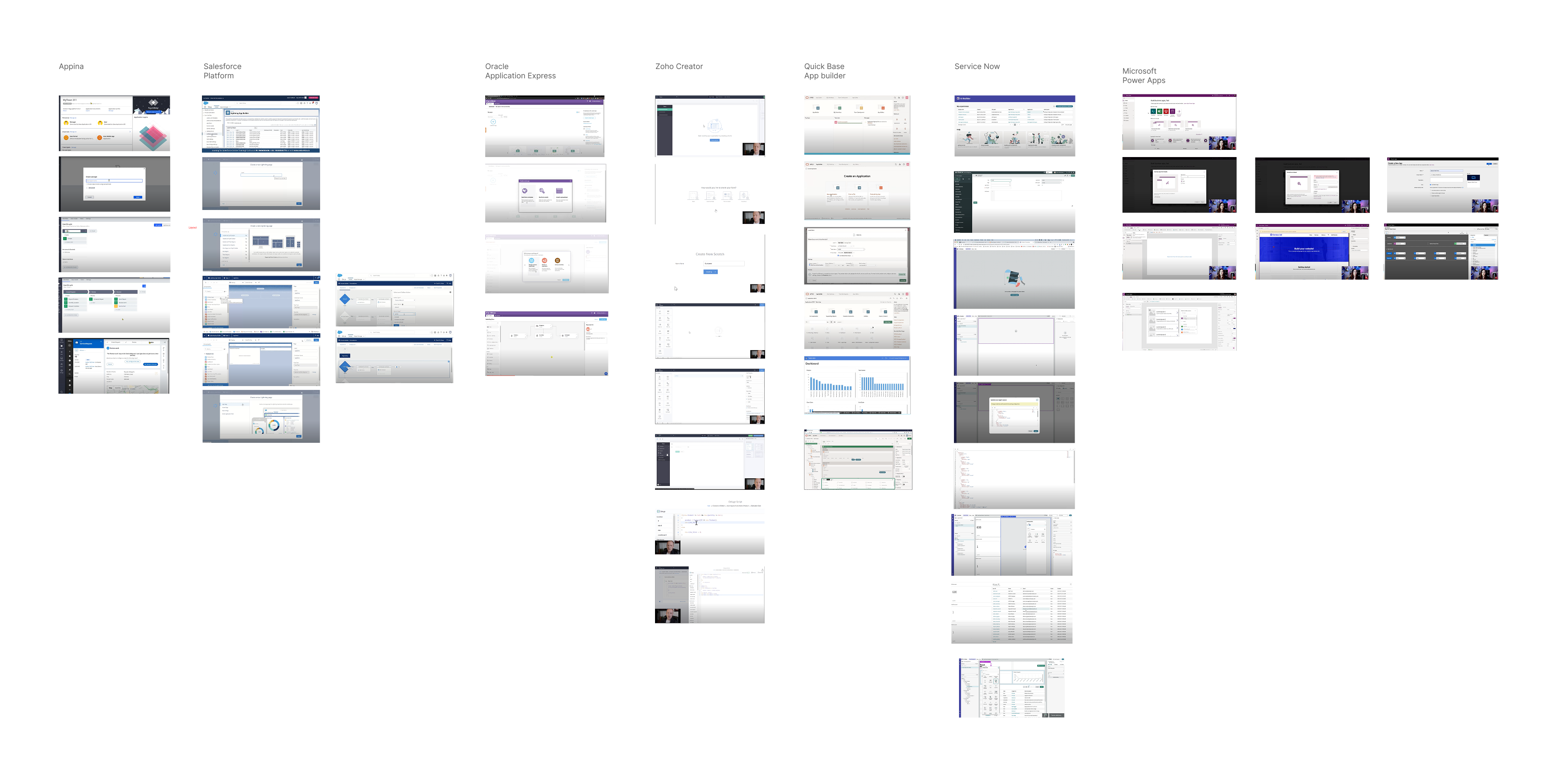
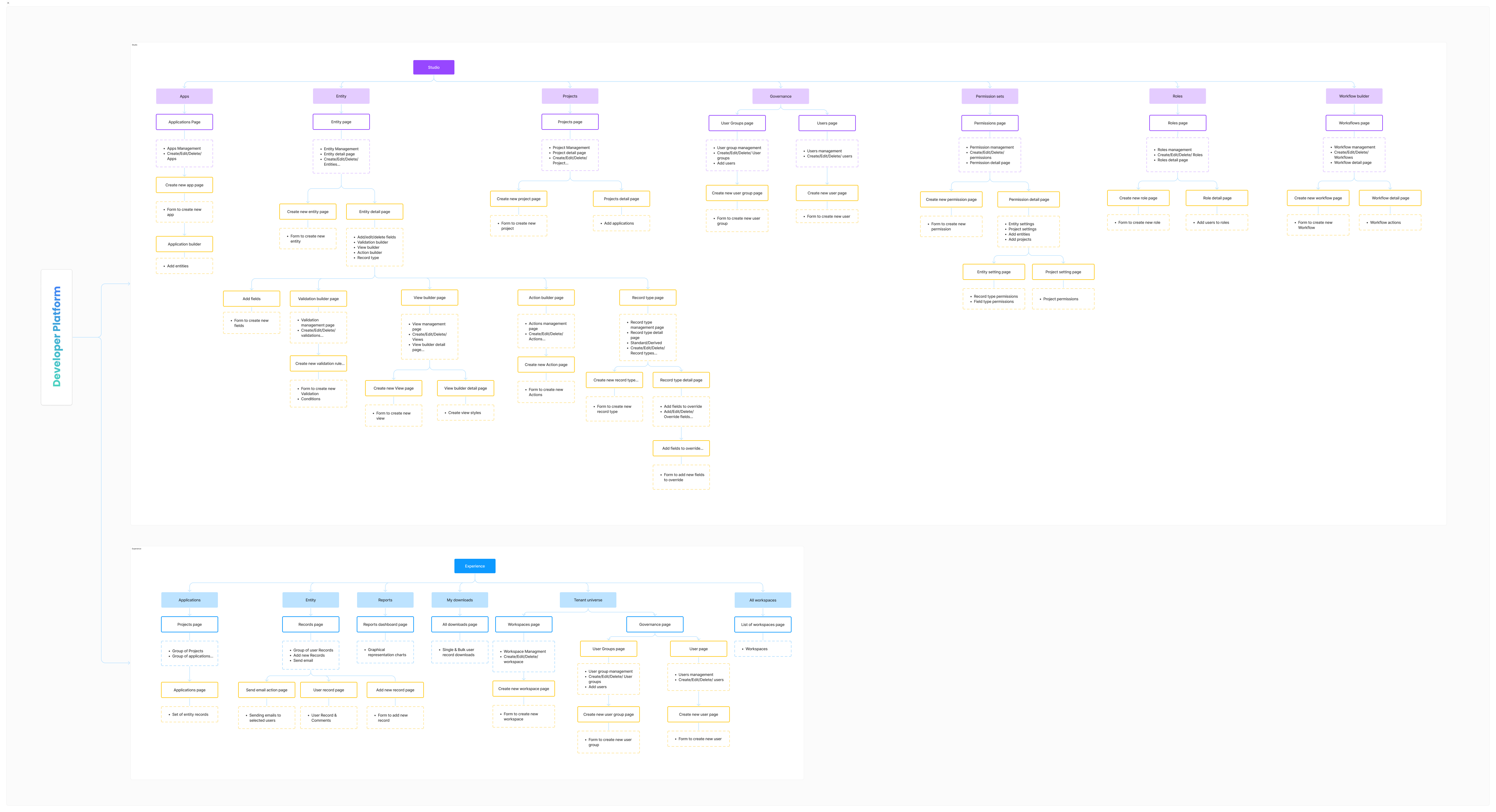
The combined insights from competitive analysis, internal audit, and user research led to the most important structural design decision: splitting the platform into two distinct environments, each optimized for its primary user without compromising the other.
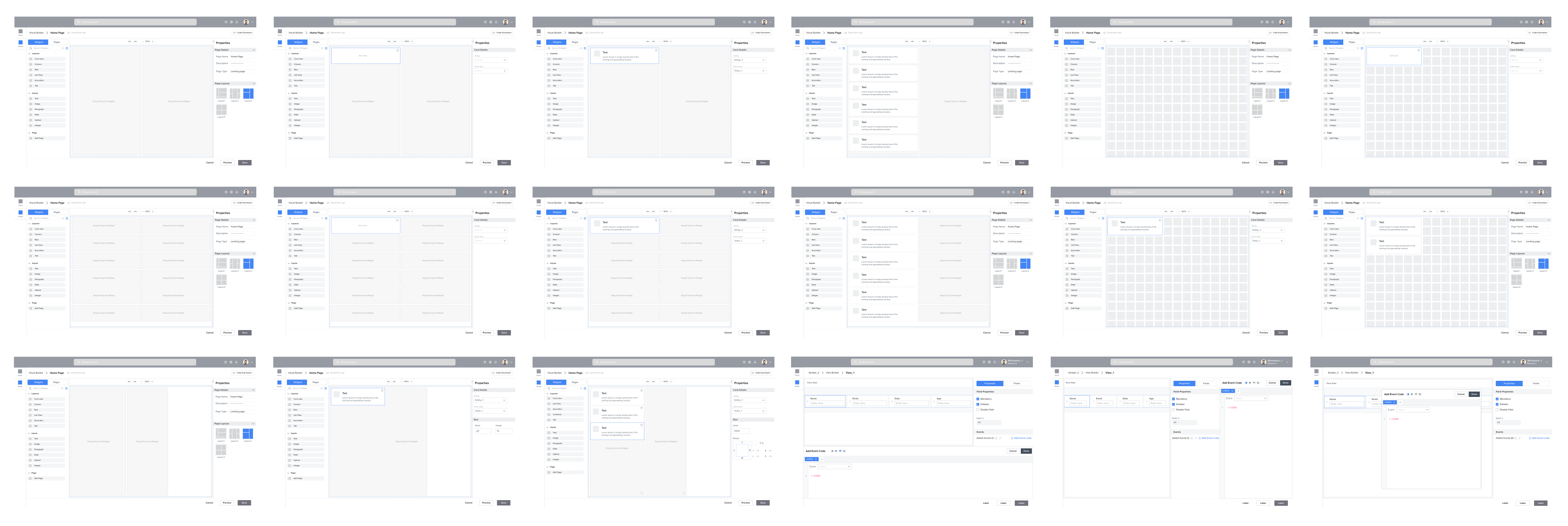
The App Builder needed to handle anything from a simple data entry form to a full NOC dashboard with real-time monitoring widgets. Our internal audit had confirmed just how complex the bar actually was.
I designed a modular grid system flexible enough for any layout while keeping things visually consistent. It wasn't just a layout tool. It was a design system constraint that ensured every application built on the platform would feel cohesive and professional, no matter who built it.
Snap-to-grid behavior kept layouts clean without restricting creativity. A pre-built component library lowered the floor for beginners. WYSIWYG editing eliminated the gap between building and using. Responsive breakpoints were baked in so users never had to think about screen sizes.
We validated the grid against every complex screen from the internal audit: inventory management, service scheduling, multi-panel reporting, and NOC-style monitoring. One grid system covering all of it confirmed the architecture was solid.
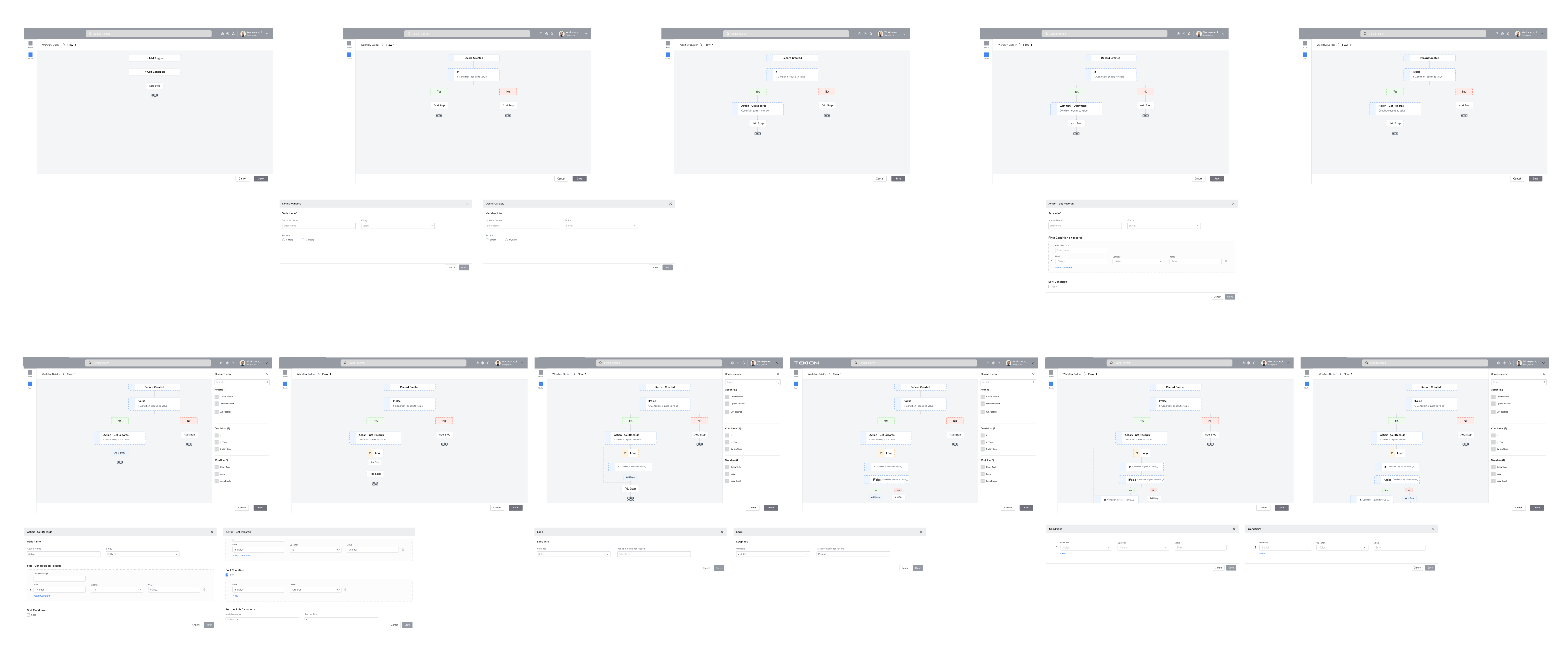
The Flow Builder handled if-then logic, conditional branching, data transformations, and API calls through a visual interface. This is where low-code platforms tend to live or die. Our competitive analysis confirmed it was a universal pain point: Pega alienated beginners, while simpler tools couldn't handle complex logic.
We phased delivery in close collaboration with engineering. Phase 1 focused on linear workflows, which covered roughly 70% of actual dealership use cases. Phase 2 added branching, loops, and error handling. The engineering team's input on execution constraints, things like synchronous vs. asynchronous operations and runtime evaluation, directly shaped the interaction model. We added explicit "wait" nodes because engineers helped us understand that certain operations just couldn't be instant.
The visual language used node-based representations with color coding for triggers, conditions, actions, and endpoints. We tested several visual metaphors before landing on the one that performed best with non-technical dealership staff.
I made a counterintuitive call: build Studio first, not Experience. The engineering load for Studio was heaviest: entity management, workflow engines, permission systems. Starting there gave engineering maximum runway. It also meant internal developers could start building on the platform right away, giving us real usage data before the Experience layer was even done.
For the first three months, I was the only designer, also acting as de facto product strategist: defining the roadmap, prioritizing features, and doing hands-on design. My product management background made it possible, but it wasn't a long-term setup.
When we moved into Experience layer work, I hired two designers. I looked for people who could operate with real autonomy in a complex domain and were comfortable with ambiguity. I held onto system design, interaction patterns, and design principles. Designer 1 owned the Experience layer. Designer 2 owned Studio features. We synced twice a week to stay consistent. Both designers were fully embedded in the engineering collaboration model: attending deep-dives, joining whiteboarding sessions, contributing to the shared open questions doc.
With the Developer Platform running and the team operating independently, I moved onto the next challenge. The Developer Platform had empowered dealerships to build within the company's ecosystem. The Nexus API was about opening that ecosystem up entirely: bringing in vendors, partners, and external developers who wanted to integrate with and build on top of the platform.
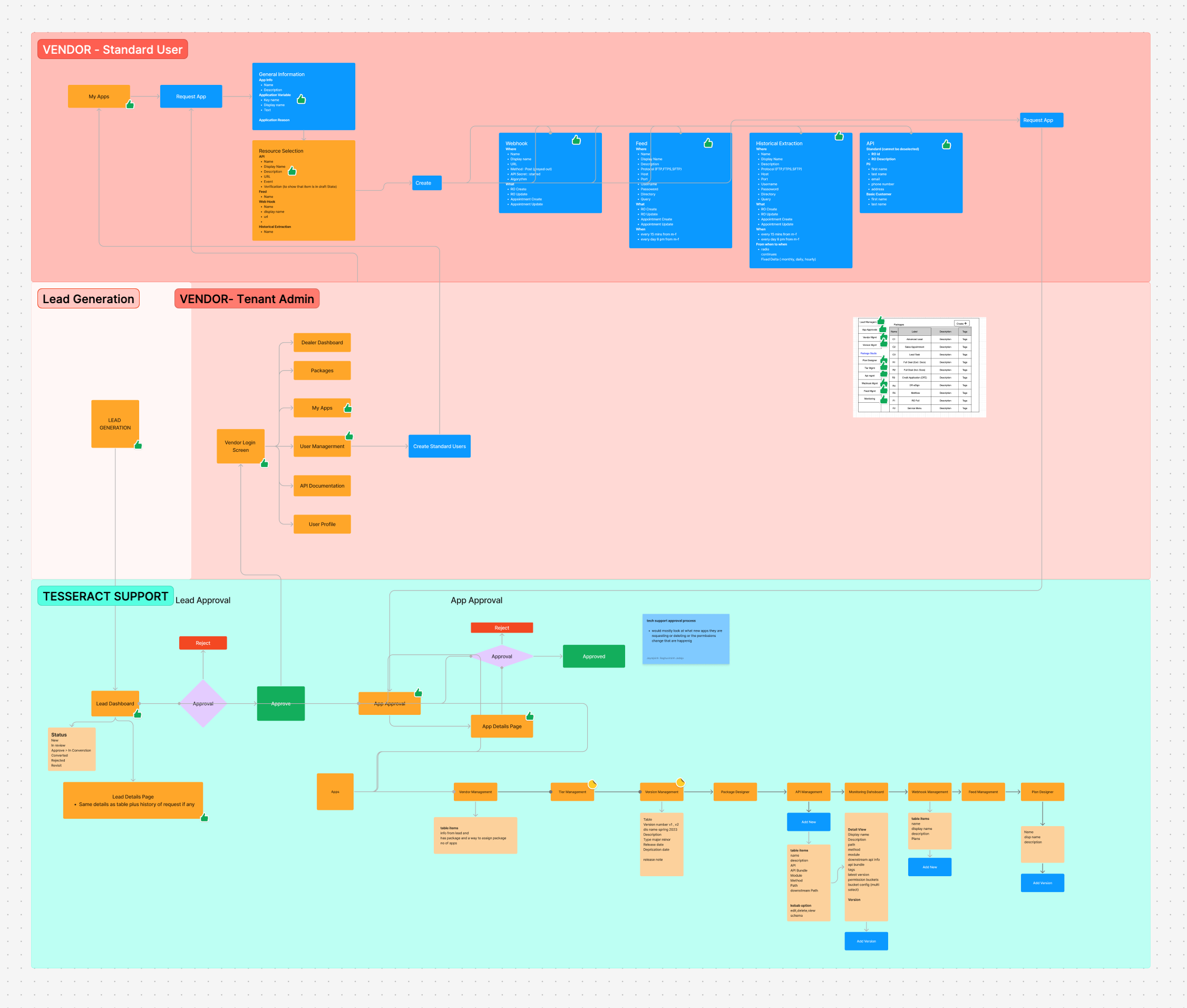
I led a workflow mapping exercise in FigJam with color-coded swim lanes per persona and explicit handoff points. The map quickly showed us where the friction was: vendor onboarding had too many handoffs, support teams had no visibility into vendor activity, and dealerships needed something closer to an app store experience. We phased delivery the same way we had on the Developer Platform.
API portal, authentication flows, documentation, and sandbox environments. Get vendors connected and building.
Usage dashboards, access controls, rate limiting, audit logs. Tools for admins and support to manage the ecosystem.
Curated integration discovery with reviews, ratings, and one-click enablement for dealerships.
"Design Manager" means something different at every company. Here's what it actually looked like on this project: a mix of strategic leadership, hands-on design work, team building, and cross-functional influence.